


![x peerclick guide[may2026]](https://mondiad.com/blog/wp-content/uploads/2026/05/M-x-peerclick-guidemay2026.jpg "Traffic Arbitrage: How to Set Up Mondiad Tracking with PeerClick")
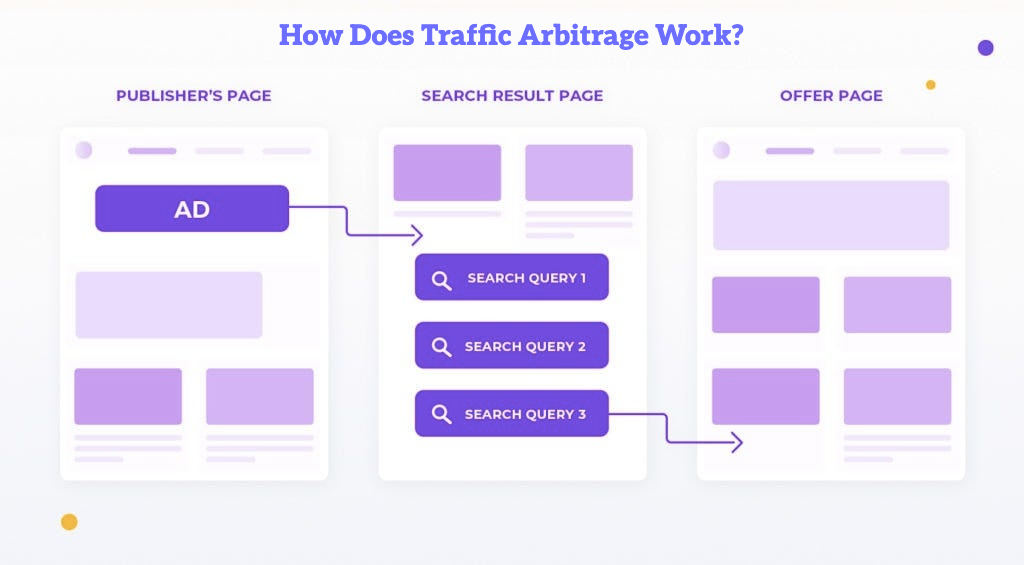
Traffic arbitrage in 2026 is no longer just about buying cheap clicks and hoping for profit. Traffic costs are higher, platforms are stricter, and traffic quality matters more than ever.
To stay profitable, you need to know exactly where your traffic comes from, which placements perform best, how much each click costs, and which campaigns actually generate revenue.
That is why accurate tracking is essential.
With MONDIAD as your traffic source and PeerClick as your tracking and optimization platform, you can monitor every visit, conversion, cost, and revenue event in one place.
Why MONDIAD + PeerClick?
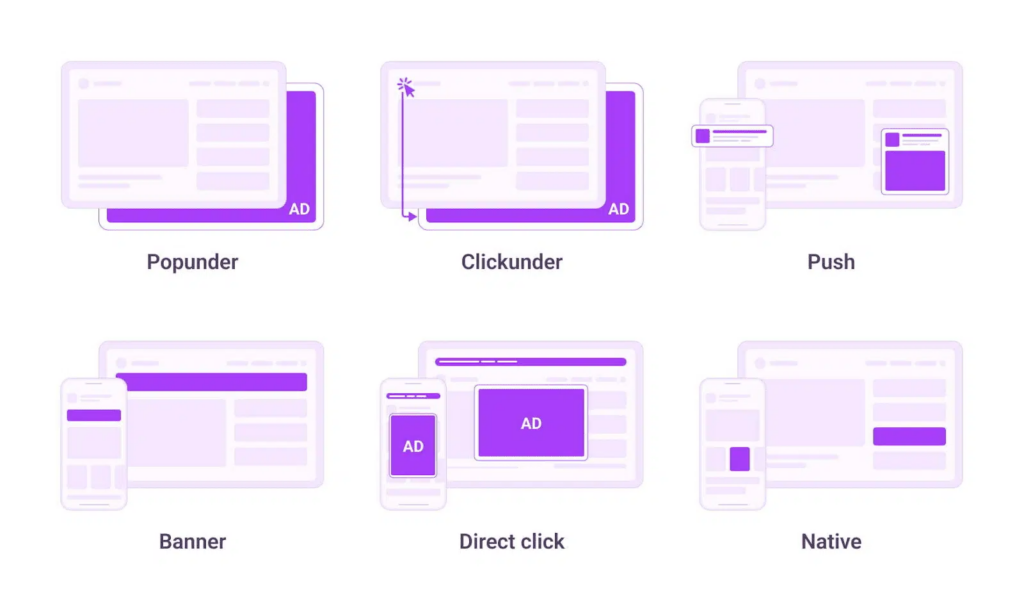
MONDIAD gives advertisers access to multiple traffic formats, including push, in-page push, native ads, banners, popunder, and other performance-driven ad formats.
PeerClick helps you understand what happens after the click.
Instead of looking only at campaign-level data, you can analyze performance by: campaign, creative, GEO, device, browser, ZoneID, SubID, cost, revenue, ROI
For traffic arbitrage, this is critical. Your profit often depends on small differences between traffic cost and monetization revenue. Without proper tracking, you cannot see what to scale and what to stop.
Step-by-Step: How to Set Up MONDIAD with PeerClick
Step 1. Add MONDIAD as a Traffic Source in PeerClick
Log in to your PeerClick account and go to Traffic Sources.
Click New and select MONDIAD from the traffic source catalog.
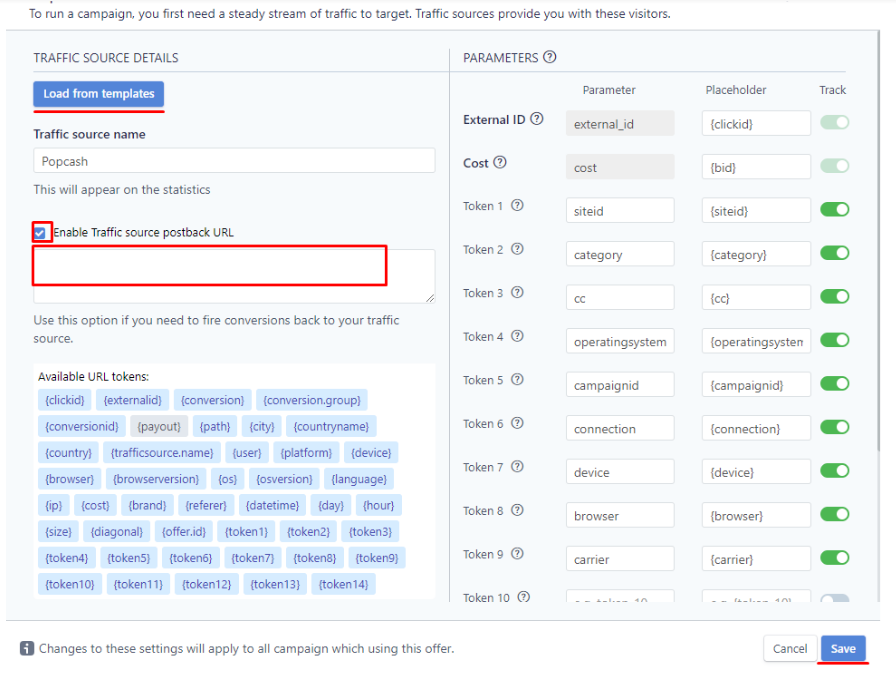
Using the MONDIAD template is the easiest option because the main tracking parameters are already prepared. You can still add custom variables if you want to pass more data from MONDIAD into PeerClick reports.
The most useful MONDIAD tokens to pass are:
- [clickid]
- [zoneid]
- [subid]
- [country]
- [campaignid]
- [creativeid]
- [os]
- [browser]
- [carrier]
- [bid]
- [adformat]
Step 2. Create a Campaign in PeerClick
Go to Campaigns and click New.

Choose MONDIAD as the traffic source, select your cost model, and add your campaign destination: offer, landing page, prelander, feed, or monetization page.
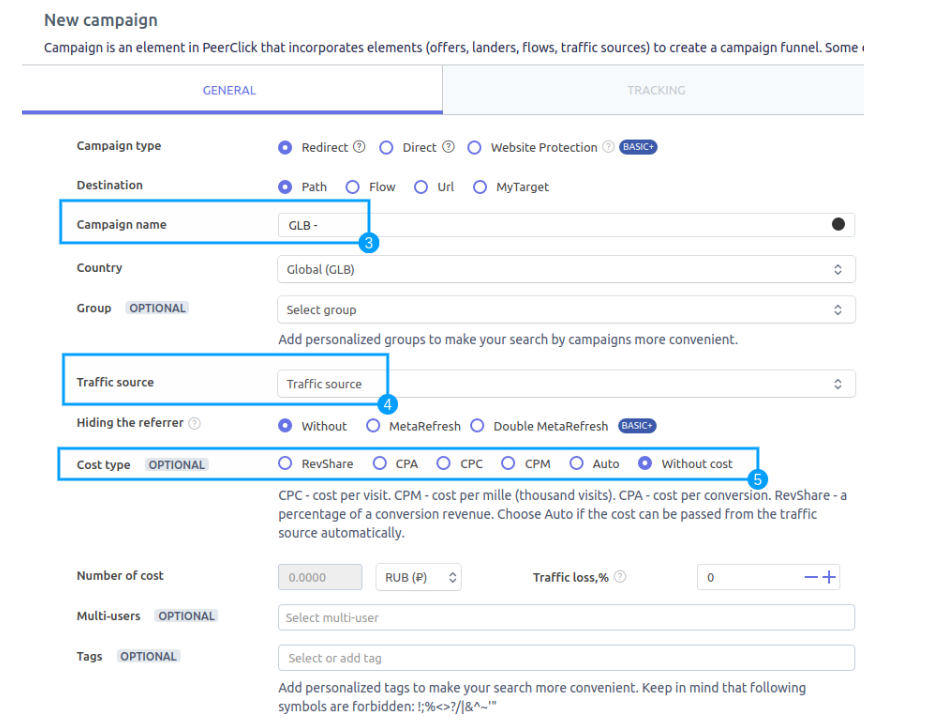
After you save the campaign settings, PeerClick will automatically generate a Campaign URL.
This is the URL you will use in MONDIAD as your campaign destination.
Example:
https://your-tracking-domain.com/click?cid=[clickid]&zoneid=[zoneid]&subid=[subid]&country=[country]&campaignid=[campaignid]&creativeid=[creativeid]&os=[os]&browser=[browser]&bid=[bid]&adformat=[adformat]This URL sends the user from MONDIAD to PeerClick first. PeerClick records the visit, stores all passed parameters, and then redirects the visitor to the final destination.
Step 3. Create a Campaign in MONDIAD
Log in to your MONDIAD advertiser account.
Go to Campaigns and click Create Campaign.
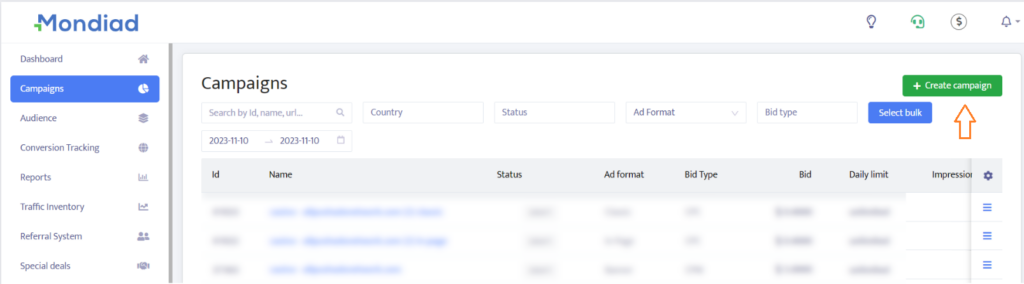
Choose your ad format, campaign name, GEO, targeting settings, bid, budget, frequency cap, and creatives.
In the Target URL field, paste the Campaign URL generated in PeerClick.
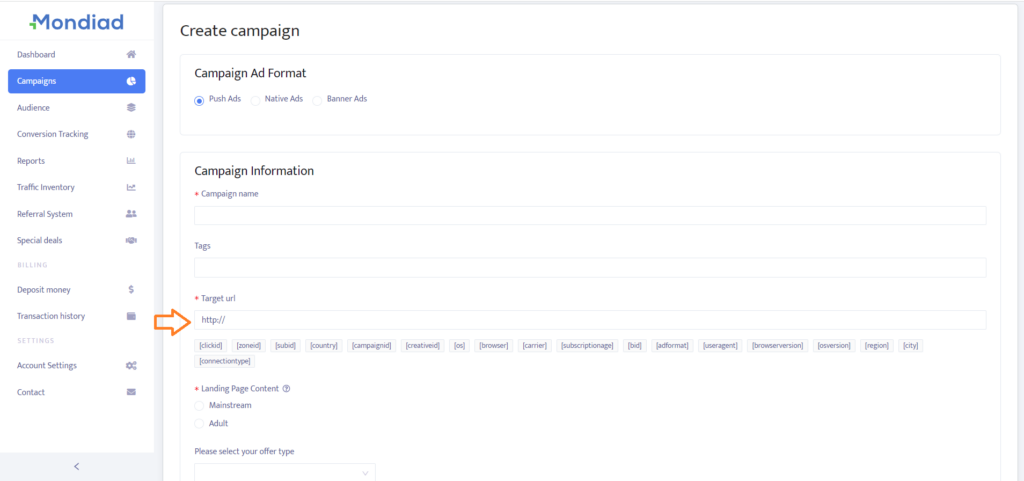
This connects MONDIAD traffic with PeerClick tracking.
Now every click from MONDIAD can be recorded in PeerClick with the correct campaign, creative, zone, GEO, and other parameters.
Step 4. Set Up Postback Tracking
To track conversions and revenue, you need to send conversion data back to PeerClick.
In PeerClick, copy your Postback URL.
A basic PeerClick postback can look like this:
https://your-tracking-domain.com/postback?cid={clickid}&payout={payout}If you want to track a specific event type, you can add an event parameter:
https://your-tracking-domain.com/postback?cid={clickid}&payout={payout}&status=cftdFor example, status=ftd can be used when you want to track feed clicks as a separate conversion event.
Make sure the click ID macro used by your monetization partner or feed provider matches the click ID passed from MONDIAD into PeerClick.
The logic is simple: MONDIAD click → PeerClick Campaign URL → Final destination → Postback → PeerClick conversion report
Step 5. Test the Full Flow
Before launching real traffic, test the whole setup.
- Open the tracking URL.
- Check that the visit appears in PeerClick.
- Make sure MONDIAD tokens are recorded in the correct PeerClick variables.
- Trigger a test conversion if possible.
- Check that the conversion appears in PeerClick with the correct click ID, event type, and payout.
Do not skip this step. In traffic arbitrage, every untracked click is lost data.
Step 6. Track Costs and ROI
Revenue alone is not enough. You need to compare revenue with cost.
In PeerClick, you can track costs by:
- passing cost through a token if available
- setting a fixed CPC or CPM
- using campaign-level cost settings
- importing cost data manually if needed
Once cost and revenue are tracked together, PeerClick can calculate profit, ROI, CPA, EPC, CR, and other key metrics.
This is what helps you understand whether a campaign is actually profitable.
What to Optimize First
Once the campaign starts receiving traffic, focus on the segments that usually have the biggest impact.
- Start with GEOs. Some countries may spend quickly but bring weak revenue, while others may have lower volume but better ROI.
- Then check ZoneID and SubID. These are often the most important parameters for arbitrage optimization. They help you find which placements should be scaled, reduced, or blocked.
- Next, analyze creatives. A high CTR does not always mean profit. Some creatives attract clicks but do not generate quality traffic.
- After that, review devices, browsers, OS, and carriers. Some technical segments may perform much better than others.
- Finally, always compare cost vs revenue. Optimize for profit, not just volume.
Best Practices for MONDIAD Arbitrage Campaigns
- Start with a controlled test budget. Your first goal is to collect clean data, not to scale immediately.
- Keep different ad formats in separate campaigns. This makes reporting and optimization much easier.
- Do not mix too many GEOs in one campaign. Fewer variables make the data easier to read.
- Always pascs ZoneID and SubID into PeerClick. Without placement-level data, optimization becomes guesswork.
- Monitor traffic quality. Low-quality or suspicious traffic can reduce payouts or cause restrictions from monetization partners.
- Optimize based on ROI and profit, not only on conversions.
MONDIAD x PeerClick Bonus
No tracker? No visibility.
Test. Track. Scale. With PeerClick. 🚀
🎁 1 Month Free for Mondiad Users
New MONDIAD advertisers can receive a special deposit bonus when launching through PeerClick. Use promo code Mondiad26 and get 1 month of PeerClick FREE.
Try Out the Mondiad x PeerClick combo!
MONDIAD gives you traffic. PeerClick gives you the data needed to control, measure, and optimize that traffic.
Together, they help you build a more transparent traffic arbitrage setup: track visits, pass campaign parameters, receive postbacks, calculate ROI, find winning placements, and cut wasted spend.

If you plan to run MONDIAD traffic in 2026, set up PeerClick tracking before the first click arrives. Every click costs money — and every missing data point makes optimization harder.
