


You know the drill. A campaign starts slipping, so you open the dashboard, filter by country, scroll to find the placement burning through budget, drop the bid, then do the same for the next one. Multiply that by a dozen campaigns and there goes half your morning.
So the Mondiad MCP Connector changes how you get that work done. Connect your Mondiad account to the AI assistant you already use, and you can run your campaigns by simply telling it what you want.
TL;DR
- The Mondiad MCP server connects your Mondiad ad account to AI assistants like Claude, ChatGPT, or Cursor, letting you manage campaigns through conversation instead of the dashboard.
- Once connected, you can launch or edit campaigns, adjust bids, pull performance stats, and run bulk actions (like pausing underperforming campaigns) just by describing what you want.
What is the Mondiad MCP Connector?
MCP, short for Model Context Protocol, is an open standard that lets AI assistants connect to outside tools and act on real data. In fact, it has quickly become the common language between AI apps and the software they plug into.
The Mondiad MCP server puts your account on the other end of that connection. Once you link it, your assistant can read your live campaign data and make changes for you, securely. So instead of an AI that only answers questions, you get one that does the work inside Mondiad.
Connect Mondiad to Your AI Assistant

Because it runs on an open standard, the Mondiad MCP server connects to any AI client that supports MCP. That covers the tools people already work in every day, such as Claude, ChatGPT and Cursor.
Connect once, then keep using whichever assistant you prefer. There is nothing to rebuild on your side.
Manage Your Mondiad Ad Campaigns with AI
Once you connect your account, most of your day-to-day campaign work moves into a conversation.
🔹 What the Mondiad MCP Connector can do:
Account & Reporting
- Check account balance
- Generate campaign performance reports
- View referral statistics
Campaign management
- List/search campaigns (by status, name, country, URL)
- View full configuration of a campaign
- Clone, update or create new campaigns
Websites management(publisher side)
- List websites
- Create and update ad zones
- Get the integration tag for a zone
Creatives management
- View a campaign’s creatives
- Create new creatives
- Update existing creatives
Targeting & Dictionaries
- List targeting options: countries, cities, regions, browsers, OS, devices, carriers, ISPs, languages, time zones, offer types
- List available traffic inventory
🔹 What Mondiad MCP can’t do:
- Can’t add funds to your account (requires manual payment on your end);
- Can’t permanently delete campaigns/creatives (only change their status);
- No access to detailed billing/financial data beyond current balance.
And it is not only about numbers. Ask for the read behind them and your assistant will compare this week to last, point out which sources deserve more budget and flag the ones quietly draining spend.
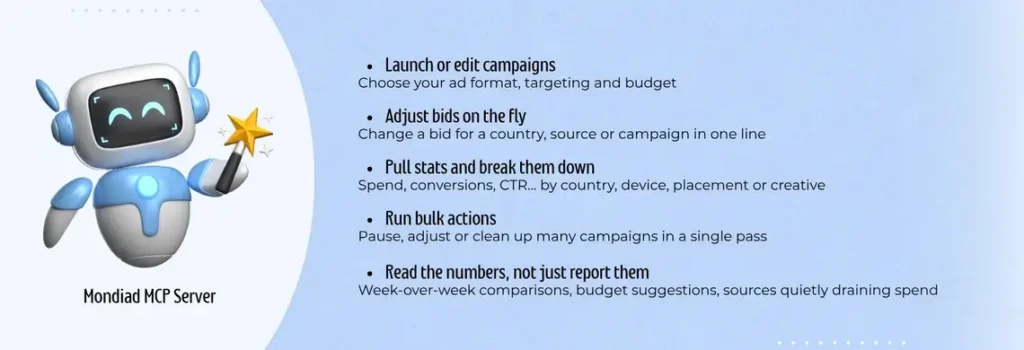
Of course, if you would rather automate the busywork, the MCP server works alongside Mondiad’s own automation rules and TargetCPA bidding, which keep optimizing your campaigns in the background.
Why Connect Mondiad to your AI Assistant?
The biggest win isn’t just speed, it’s catching the underperformance you’d otherwise miss. A campaign rarely fails all at once. It’s usually one country, one placement, or one source quietly dragging down results while the rest of the campaign looks fine on the surface. Spotting that normally means slicing the dashboard a dozen different ways and hoping you filter by the right dimension.
Your assistant can do that slicing for you, continuously. Ask it to compare this week to last, surface every segment underperforming against your target CPA, or flag sources burning budget with no conversions, and it works straight from your live account data. That means the answer reflects your actual performance, not generic best-practice advice.
The time savings follow naturally. Routine management that used to mean tabs, filters, and exported reports turns into a couple of sentences. But the real value is that your assistant is watching for the underperforming pockets you wouldn’t necessarily think to look for, so you spend less time hunting for what’s wrong and more time deciding what to do about it.
How to Set up the Mondiad MCP Connector
Getting connected takes a few minutes:
Step 1: Grab your Mondiad connection details
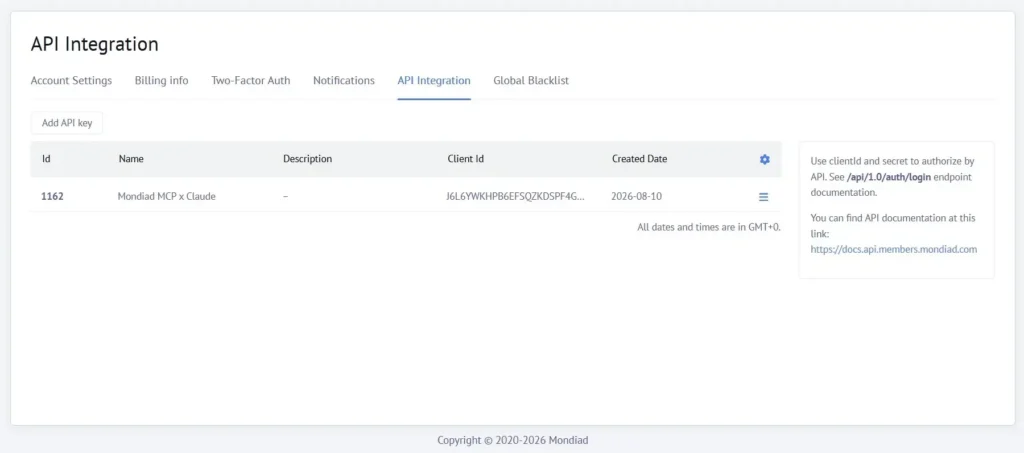
Log into your Mondiad account and generate a new API key from the Account Settings tab on the left sidebar menu.
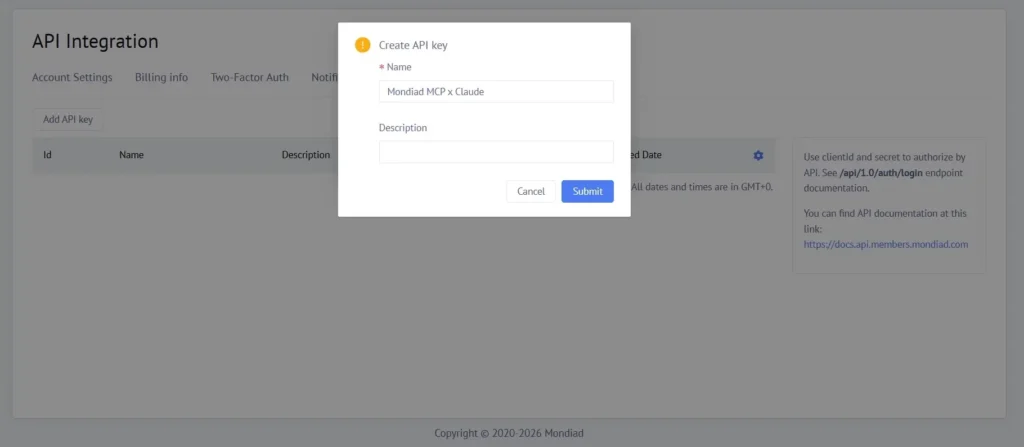
Start by giving your new API key a name and, optionally, a description. If you are managing or intent to manage multiple API keys, this part should be descriptive from the start.
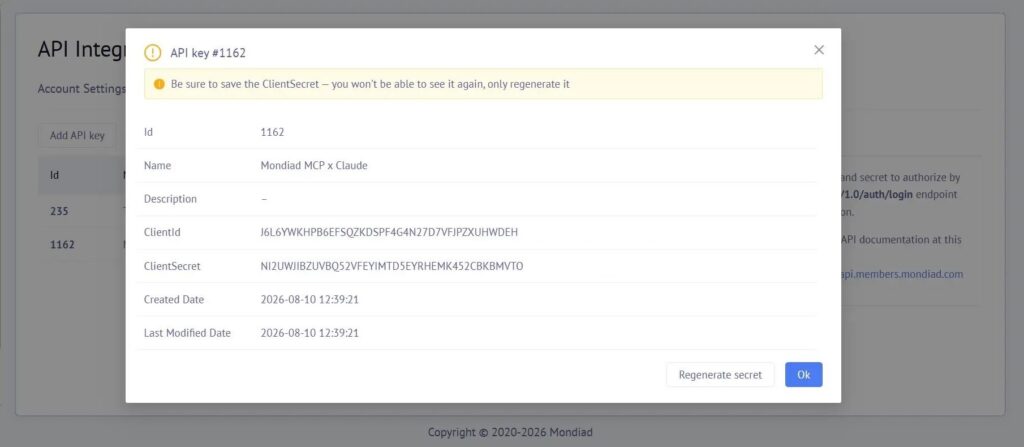
Keep your API client ID + secret somewhere safe. You’ll paste them into your AI client in the next step, and you shouldn’t need to touch it again unless you regenerate it later.
Step 2: Link your Mondiad account to your AI assistant
Every MCP-compatible client (Claude, ChatGPT, Cursor) has its own place for adding a new server, but the idea is identical everywhere: you’re telling the client “here’s a new tool you can use.”
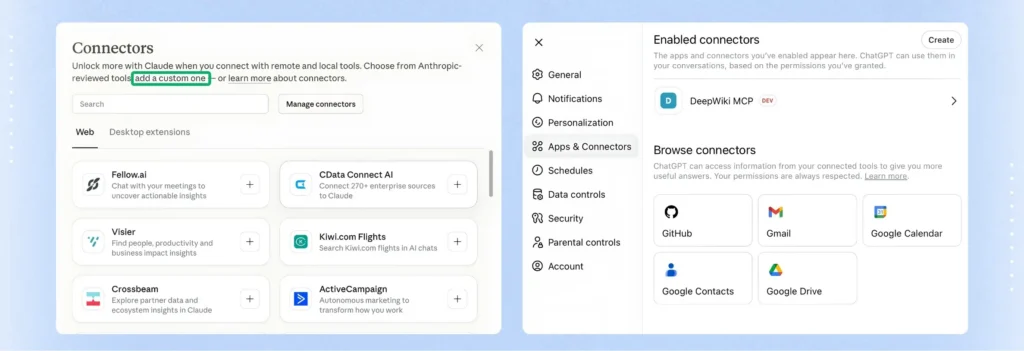
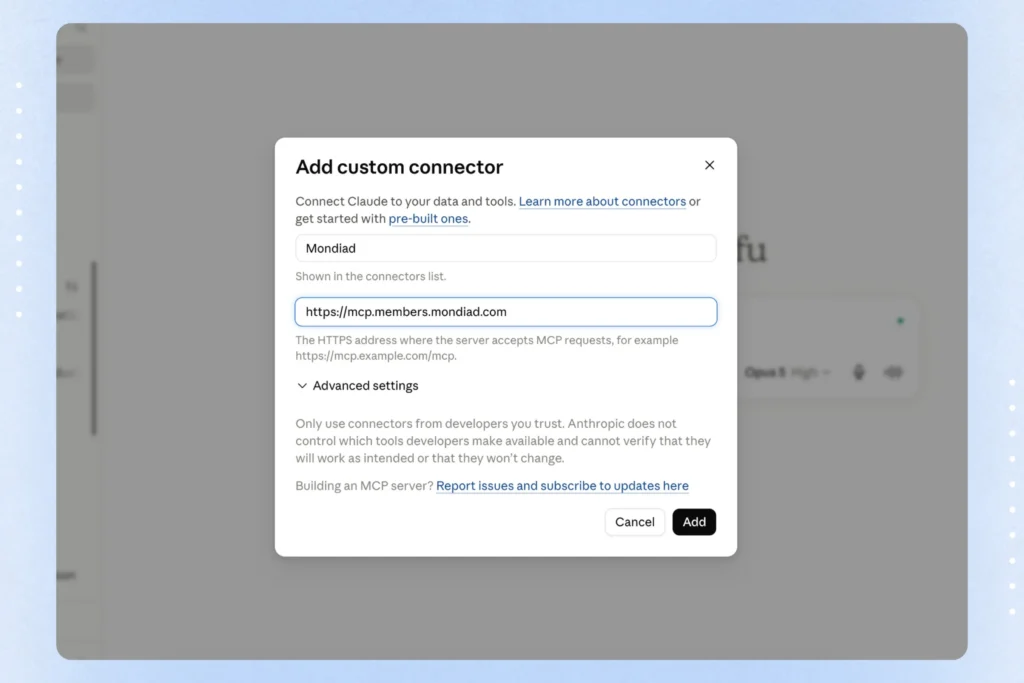
- In Claude, this usually means opening the connectors menu and adding a custom connector with the Mondiad server URL.
- In ChatGPT, it’s typically under developer or connector settings.
- In Cursor, you’ll drop the server details into your MCP configuration.
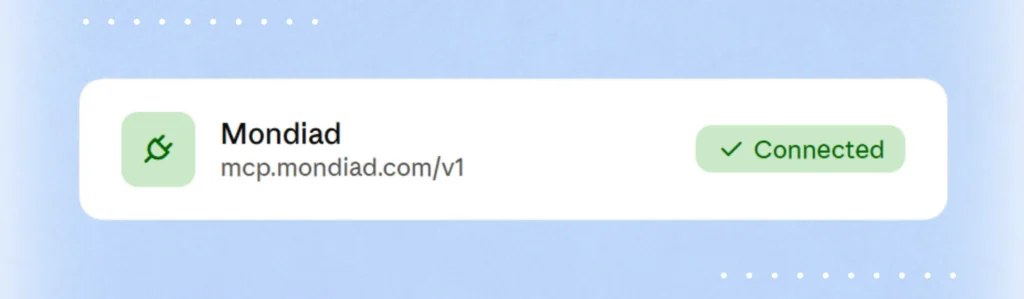
Once the setup is done, you’ll usually see a confirmation once this succeeds, a green check, a “connected” label, or similar.
Disclaimer
Support for custom MCP (Model Context Protocol) server configuration varies across AI platforms, and it’s not always available on free plans.
| Product | Free plan + MCP configuration |
|---|---|
| ChatGPT | ❌ No support for configuring custom MCP servers on the Free plan. Custom MCP connectors/apps require a paid plan. |
| Claude | ✅ Yes, with a limitation: Free users can configure one custom remote MCP connector from Settings → Connectors → Add custom connector. |
| Cursor | ✅ Yes. The free version supports configuring local and remote MCP servers via Settings → Tools & MCP or the mcp.json configuration file. |
Step 3: Start giving your AI instructions
That’s it. Open a chat with your assistant and talk to it like you would a teammate: “pause every campaign under 0.5% CTR in Germany” or “what’s my spend on push traffic today?”
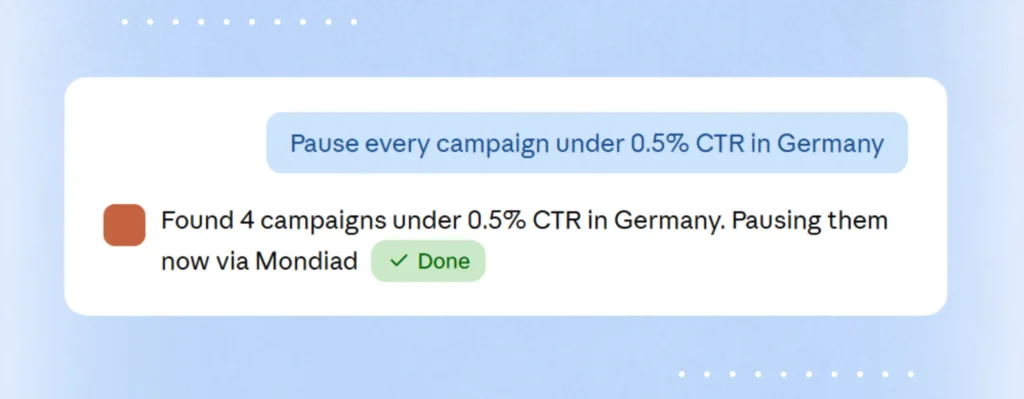
From here, the assistant reads and edits your account directly, no dashboard required.
MCP Connector FAQ
What is the Mondiad MCP Connector?
Mondiad MCP is a connector that lets AI assistants interact with your Mondiad account using the Model Context Protocol (MCP), an open standard for linking AI tools to external services. Once connected, your assistant can read and act on your Mondiad data directly, instead of you switching back and forth to the dashboard.
What actions can I perform through the MCP connector?
The Mondiad API key has read and write access. This means it can retrieve data (e.g., campaign stats, account info) as well as create or modify data (e.g., setting up, editing, running, or pausing campaigns).
Which AI assistants support it?
Any AI assistant or platform that supports the Model Context Protocol (MCP) can connect to it.
Does the Mondiad MCP Connector cost extra?
No, Mondiad doesn’t charge extra for MCP access. However, some AI assistants may require a paid plan in order to use connectors/MCP servers at all, regardless of whether Mondiad charges for it.
Does the Mondiad MCP have an activity log?
Yes, though this depends on your AI assistant. Mondiad’s MCP connector exposes the underlying actions, but whether those actions are logged and how much detail is retained depends on the logging capabilities of the AI assistant you’re using it through.
Get Started With the Mondiad MCP Connector

If you are tired of clicking through the dashboard for every small change, this is the shortcut. Log in or create your Mondiad account and connect the MCP server to start running your campaigns from a chat window.
