



If you want to hit your marketing goals with greater precision, our TargetCPA bidding algorithm ensures your ad spend is automatically optimized to deliver the best possible return on investment.
Whether you’re a seasoned marketer refining your strategies or a newcomer looking to get the most out of your campaigns, this smart bidding feature is built to do the heavy lifting for you.
Keep reading to learn how TargetCPA bidding works and how you can get more from your Mondiad ad campaigns with even less effort.
TL;DR
- TargetCPA is Mondiad’s smart bidding system that uses machine learning and historical campaign data to automatically hit your target cost-per-acquisition.
- It runs in three phases: Learning (week 1), Learning & Adjusting (week 1-2), and Running, so patience early on is key to long-term results.
- Best suited for offers with an established conversion history; it works by auto-selecting top-performing ZoneIDs/SubIDs and blocking underperforming ones.
- Success depends on smart setup: broad initial targeting, a realistic target CPA value, and avoiding conflicts with other tools like optimization rules.
What is The TargetCPA Bidding Algorithm?
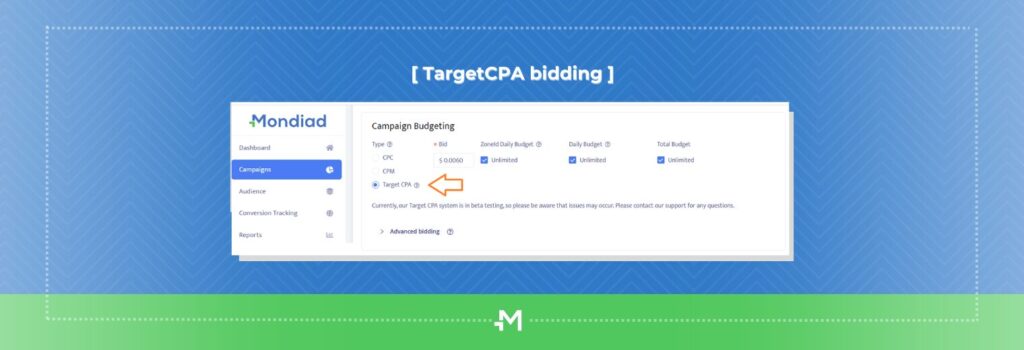
TargetCPA (cost-per-acquisition)is a smart bidding system which automatically adjusts your campaign costs and ad delivery to achieve a desired target CPA.
This system uses your campaign’s historical data and machine learning which measures the likelihood of your campaign to convert and automatically make adjustments to your bids, for maximum optimization.
Who Should Use Target CPA bidding?
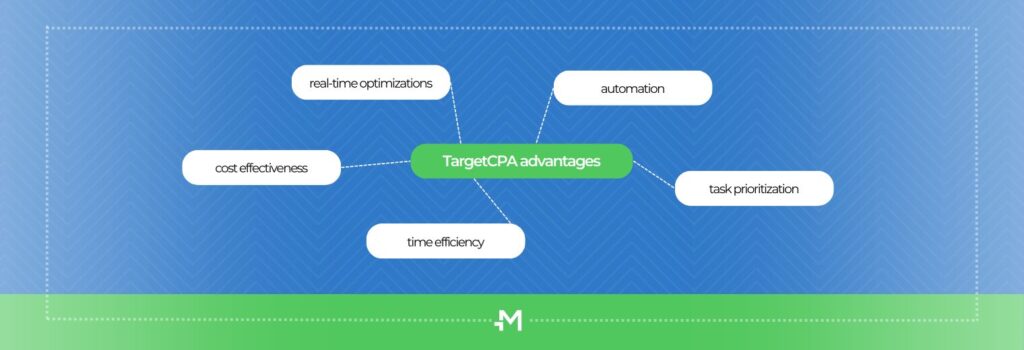
- As per its name, target CPA is a subtype of CPA bidding. This system is best for advertisers who want to get more conversions at a specific cost per conversion.
- This is your bidding system of choice if you are an advertiser who wants to maximize the cost of your conversions when looking for leads, sales or sign-ups, for example.
- TargetCPA bidding works best with offers that already have demonstrated a significant volume of conversions.
- With target CPA you could either increase the conversion volume at the same cost or maintain the conversion volume but for fewer costs and more consistency.
- This smart feature might be just the one for you if you want streamlined campaign management that automatically adapts to market conditions.
How Mondiad’s TargetCPA Algorithm Works
Our TargetCPA bidding algorithm operates in distinct phases to optimize campaign performance.
- Stage 1 (week 1): Learning
- Stage 2 (week 1-2): Learning & Adjusting
- Stage 3: Running

The first two phases focus on identifying the most effective segments while filtering out the underperforming ones, enabling advertisers to refine their targeting strategy to maximize results.
Lastly, the algorithm aims to achieve the desired target cost per acquisition (CPA) by generating as many conversions as possible within the specified CPA threshold.
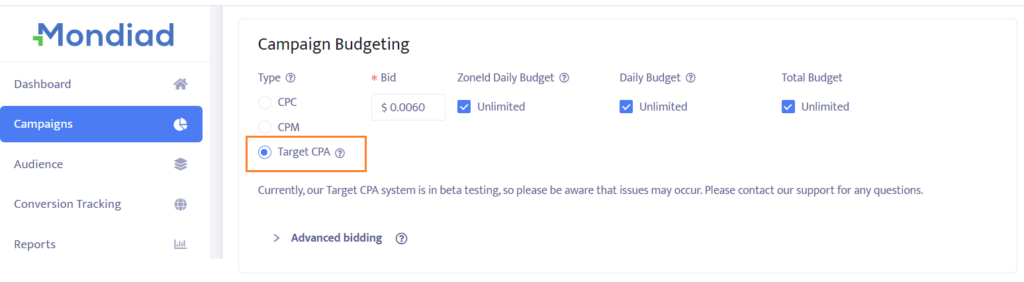
Selecting TargetCPA as your bidding option when creating a campaign in Mondiad will require you to choose how much you want to pay per conversion.
⚠️ Heads up: you’re billed on a CPC/CPM basis (adjusted to the minimum value), but the algorithm automatically optimizes your cost based on the target CPA you set.
After the campaign is launched, this smart system automatically identifies the best ZoneIDs/SubIds and bids to get you the best results. Note that Mondiad will also block the least-performing sections for better optimization.
Best Practices for Setting Up a Target CPA Campaign

To help you optimize your campaign and effectively navigate our TargetCPA algorithm, here are some valuable tips and guidelines:
1. Be patient:
During the first stage of the algorithm, which typically spans 2 weeks or up to 10 campaign conversions, the algorithm’s primary focus is to achieve satisfactory audience coverage in order to gather segment statistics.
Notice that the TargetCPA bidding algorithm is based on machine learning so it needs time to bring in results. Consequently, it is important to understand that, in this initial stage, the algorithm may not effectively adhere to the target CPA goals.
2. Choose the desired CPA value wisely:
Lowering the desired CPA value will lead to the algorithm filtering out segment traffic that exceeds the desired cost per acquisition. At the same time, many segments that have the potential to generate profit may underperform or be eliminated due to inconsistency with an underestimated CPA.
3. Start with broad targeting:
If you have limited knowledge about the targeting, it is best to include as many potentially converting segments as possible in your initial targeting. The algorithm can filter out ineffective targeting segments but can’t add new ones.
Additionally, using a smaller bid will help prevent excessive spending during broad targeting.
Although you can change the campaign setup anytime, since the effectiveness of ZoneIDs and SubIDs is dynamic, we recommend you allow our algorithm to manage these sections, for better results.
4. Utilize prior knowledge:
If you are aware of a specific narrow segment that performs well with higher bids, focus your targeting efforts accordingly. This approach allows the “expensive” segments to demonstrate their effectiveness during the algorithm’s initial stage, ensuring that resources are not wasted on “cheaper” and inefficient segments.
5. Avoid combining tools:
Simultaneously using “optimization rules” and TargetCPA is not recommended. When used together, “optimization rules” can potentially hinder the effectiveness of the campaign by blocking segments that could otherwise be successful. It is best to utilize each tool within separate campaigns.
6. Monitor conversions:
The algorithm performs better when there are more conversions in the campaign. If the campaign fails to generate any conversions, it indicates that the algorithm cannot appropriately adapt its interaction with the segments. The prolonged absence of conversions may be a sign of incorrect targeting.
7. Consider the impact of conversion rate:
The algorithm is sensitive to changes in the conversion rate. If the conversion rate decreases for any reason, it is likely that the traffic flow will decrease as well in order to meet the desired CPA. It is essential to monitor the value of the conversion rate since its stability cannot be guaranteed.
And last but not least, keep in mind that achieving the exact desired CPA for every conversion is not always feasible due to several factors like competition and market dynamics, but with monitoring and optimization, results are indeed achievable.
FAQ
What is target CPA bidding?
Target CPA (cost-per-acquisition) is a smart bidding model that automatically adjusts campaign bids using machine learning to hit a target cost per conversion you set in advance.
How long does it take for Mondiad’s TargetCPA bidding algorithm to start working?
The learning phase typically takes about 2 weeks or up to 10 conversions, whichever comes first. During this time, results may not closely match your target CPA yet.
What type of campaigns work best with target CPA?
Offers that already have a solid, consistent history of conversions, such as lead gen, app installs, or e-commerce, tend to perform best.
Can I change targeting after launching a target CPA campaign?
Yes, targeting can be edited anytime, but Mondiad recommends letting the algorithm manage ZoneIDs/SubIDs itself for best results, since performance shifts dynamically.
Should I use optimization rules alongside TargetCPA?
No. Running both together isn’t recommended, since optimization rules can block segments the TargetCPA algorithm would otherwise use productively. Use them in separate campaigns.
Ready to Let the Algorithm Take Over?
Target CPA bidding isn’t just another automated strategy, it’s a powerful tool that can help you scale campaigns efficiently while keeping your costs predictable. By understanding how it works and feeding it the right data, you’re putting smart optimization in the driver’s seat.

Whether you’re running lead gen, app installs, or e-commerce offers, the TargetCPA bidding algorithm gives you the flexibility to focus on performance while automation handles the heavy lifting. Test, tweak, and let the algorithm do its thing.
