


If your campaign targets iOS and your push CTR looks flat, the problem probably isn’t your creative, it’s the format. iPhone and iPad users make up a massive share of global traffic, but Safari never adopted the one-tap subscription flow that lets Android and desktop browsers collect push subscribers at scale. That leaves classic push nearly blind to iOS.
In-page push was built to close that exact gap. This guide breaks down how the format reaches iOS users without a subscription, how it differs from classic push and popunder, and how to set up a campaign that actually converts on iPhone traffic.
TL;DR
- In-page push ads reach iOS users by simulating a system notification directly on a webpage, instead of requiring the browser-level subscription that iOS restricts.
- Classic push notifications depend on a permission prompt that iOS either doesn’t support in Safari or only allows after a user installs a site to their home screen, a step almost no one takes from a normal ad click.
- In-page push skips that requirement entirely, rendering as a banner styled like a notification at the top, bottom, or corner of the page. For advertisers, that means in-page push is currently the most reliable way to buy iOS traffic at scale in formats that look and convert like push.
Why Can’t Classic Push Notifications Reach iOS Users?
Classic push notifications need a user to accept a subscription prompt in the browser, and iOS makes that prompt either unavailable or impractical for most ad traffic. On Android and desktop Chrome, a publisher’s site can ask a visitor to “Allow notifications” with one tap, and that visitor becomes a subscriber the network can retarget indefinitely.
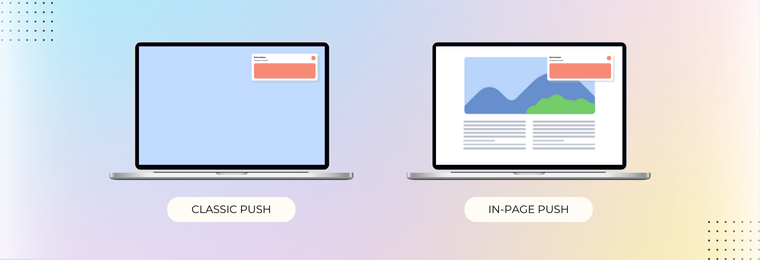
iOS never adopted that same frictionless flow. Safari only supports web push for sites a user has manually added to their home screen, a multi-step action almost no one performs after clicking a display ad. In practice, this means classic push traffic sources report iOS subscriber volumes close to zero, even though iPhone and iPad users make up a huge share of global mobile traffic.
That gap is exactly what in-page push was built to close.
What Is In-Page Push, and How Does It Work on iOS?
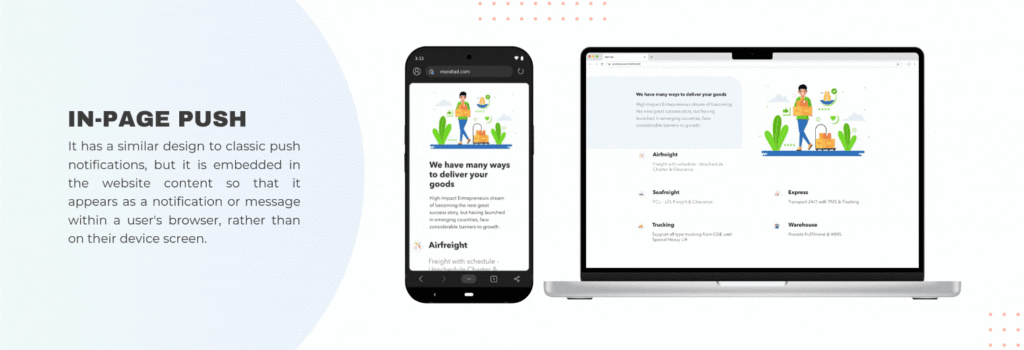
In-page push is a banner ad designed to look like a system push notification, but it displays directly inside the webpage instead of through the OS notification tray.
Because it’s rendered as a standard ad unit, not a real subscription-based notification, there’s no permission prompt to accept and no iOS restriction to work around.
The format typically includes:
- A small icon, mimicking an app or brand logo
- A short, attention-grabbing headline
- One or two lines of supporting text
- A tap target that sends the user straight to the offer’s landing page
Because the visual is so close to a native alert, users register it the same way they’d register a real notification, which is why in-page push carries CTRs closer to classic push than to standard banner ads, even on a browser that was never built to support push at all.
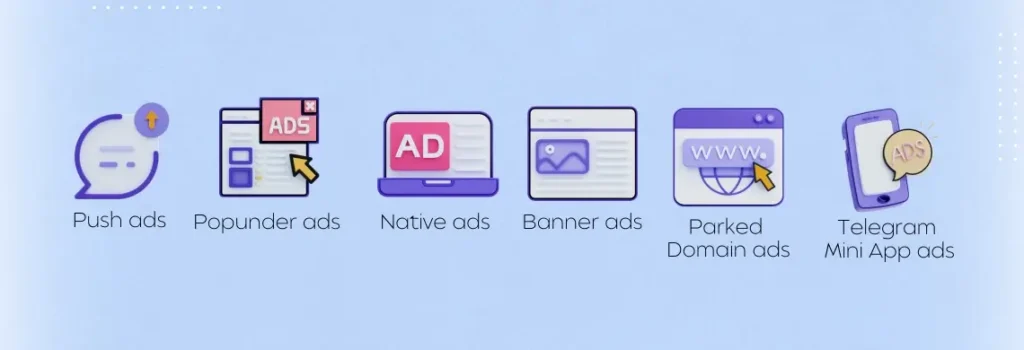
Mondiad supports in-page push notifications as one of its 8+ ad formats, alongside classic push, popunder, native, banner, and video/pre-roll, so an advertiser can run the same offer’s Android push and iOS in-page push campaigns from a single dashboard, rather than splitting the two across separate networks.
How Is In-Page Push Different From Classic Push and Popunder Ads?
In-page push, classic push, and popunder ads look similar on the surface but differ in where they render and how a user is acquired.
| Format | Where It Renders | Subscription Required? | Works on iOS? |
|---|---|---|---|
| Classic push | OS notification tray | Yes, browser opt-in | No (near-zero practical volume) |
| In-page push | Inside the webpage, styled as a notification | No | Yes |
| Popunder | Behind the active browser tab | No | Yes |
- Classic push appears in the device’s notification tray, outside the web page. The user has to accept a browser opt-in first. Because iOS makes that opt-in impractical, classic push has almost no real volume on iPhones and iPads.
- In-page push appears inside the web page, styled to look like a notification. No subscription is needed because it’s just an ad unit on the page. It works on iOS.
- Popunder opens behind the active browser tab. No subscription is needed and it works on iOS.
The practical takeaway: if a campaign needs the visual trust and high engagement of push-style creative but has to include iOS in its GEO or device targeting, in-page push is the format built for that exact gap, popunder covers volume, in-page push covers the push-style engagement iOS otherwise can’t offer.
How Do You Set Up a Mondiad In-Page Push Campaign for iOS?
Setting up an iOS in-page push campaign follows the same core steps as any push-style campaign, with two adjustments specific to iOS.
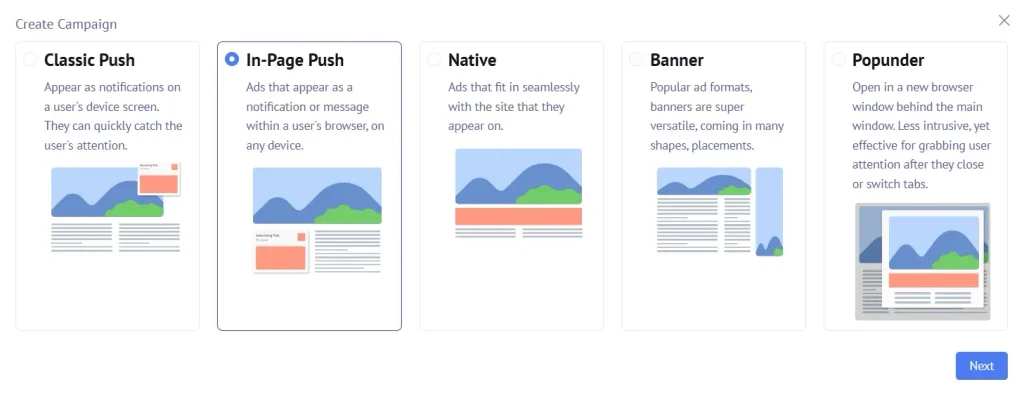
1. Choose In-Page Push as the format. In your Mondiad dashboard, click Create Campaign, select In-Page Push, then click Next.
2. Set device and OS targeting explicitly. Filter for iOS and iPadOS rather than relying on “mobile” as a catch-all, this keeps budget from leaking to Android traffic where classic push may already be cheaper.
3. Design creative that reads as a native alert. Use a simple icon, a short headline under 30 characters, and body text that implies urgency (a message, an offer, or an alert) without misleading the user about what they’re clicking.
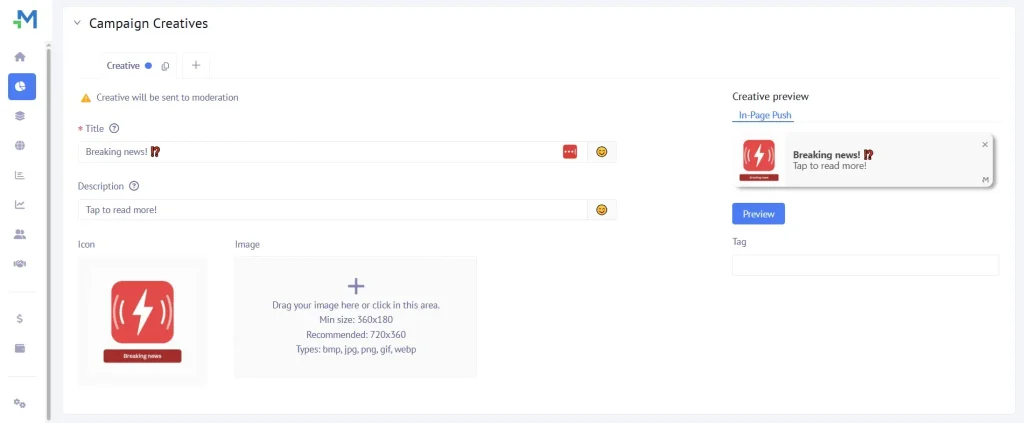
4.Pick a bid model. Choose CPC to start, then shift to TargetCPA once you want to scale your success.
5. Set up postback tracking before launch. Accurate conversion data matters more on a newer format like in-page push, since benchmark CTRs and CPCs are still less standardized than they are for classic push.
6. Test creative against your existing push assets first. If you already run classic push campaigns for Android, your best-performing icons and headlines are a strong starting point for the iOS in-page push version, you’re not designing from zero.
After launch, optimize by source. In the case study, whitelisting top zones, automating rules for weak traffic, and adding micro-bids took cost per install from about $8 to about $5.
Mondiad case study: US iOS VPN campaign, CPA down 37%
A VPN install campaign targeting US iOS users on Mondiad cut its cost per install from about $8 to about $5, roughly 37% lower, in two months. The buyer ran In-Page Push at $200 a day, aiming for a $5–$8 CPA.
The lesson for iOS is that traffic selection did more than scale. This is one campaign from one buyer, so treat it as a reference point rather than a benchmark. Read the full Mondiad VPN campaign case study for the before and after reports.
Which Verticals Convert Best on iOS In-Page Push?
Dating, sweepstakes, subscriptions, VPNs, and utility apps consistently perform best on in-page push traffic, iOS included.
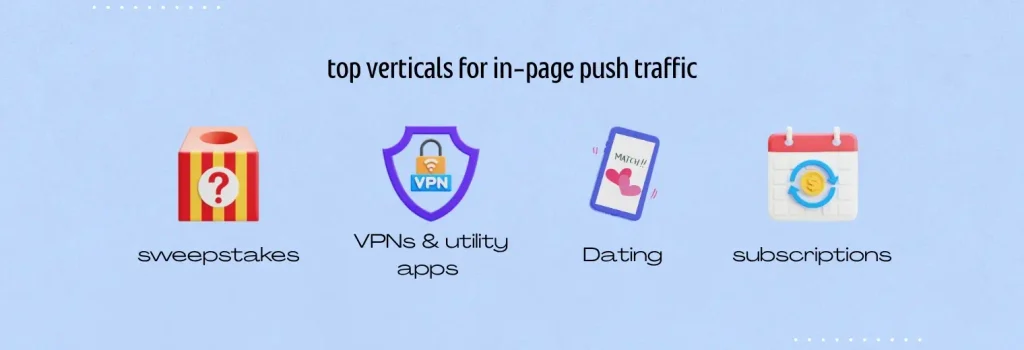
- Dating benefits from the notification-style creative, since a message-like alert mirrors the offer itself.
- Sweepstakes and rewards offers convert well because the format’s urgency cues (limited-time, alert-style copy) match the offer’s own messaging.
- VPN and subscription apps do especially well with iOS audiences specifically, since iPhone users are a well-documented high-value segment for subscription-based products.
- Utility and software offers (cleaners, antivirus, productivity apps) perform consistently across both classic and in-page push, making them a safe first test.
FAQ
Can you send real push notifications to iPhone users?
Only in a limited way. Safari supports web push solely for sites a user has manually added to their home screen, a step almost no one takes after clicking an ad, which is why advertisers use in-page push instead to reach iOS at scale.
Is in-page push more expensive than classic push?
Not inherently. In-page push typically runs on the same CPC/CPM ranges as classic push, though iOS traffic specifically can carry a premium in verticals like subscriptions and VPNs where iPhone users are known to convert at higher value.
Do users need to opt in to see in-page push ads?
No. Unlike classic push, in-page push requires no subscription or permission prompt, it displays as a standard ad unit on the page, which is exactly what lets it bypass iOS’s push restrictions.
What creative works best for in-page push on iOS?
A small icon, a short headline, and brief supporting text that reads like a real alert or message, creative that looks too much like a traditional banner ad tends to underperform against more notification-styled formats.
Does Mondiad support in-page push for iOS targeting?
Yes. In-page push is one of Mondiad’s 8+ ad formats, and it can be targeted specifically to iOS and iPadOS devices alongside Android push, popunder, native, banner, and video campaigns from the same dashboard.
Ready to Reach iOS Audiences at Scale?
Mondiad runs in-page push, classic push, popunder, native, banner, and video, all from one dashboard, with worldwide GEO coverage and in-house optimization tools to help you find your best-converting iOS traffic faster.
