

Close Menu
  • Publishers
  • Advertisers
  • Help Center
  • Let’s meet!
  • Contact
  • English
    • English
    • Русский

Subscribe to Updates

Get the latest news from Mondiad.

What's Hot

What Ad Formats Give The Best Results In 2026?

06.04.2026

What Are Push Notification Ads? An Advertiser’s Guide

02.04.2026

[Mondiad Case Study]: Finance Push Ads = From Clicks To Conversions

31.03.2026
Facebook X (Twitter) Instagram YouTube Telegram
Mondiad BlogMondiad Blog
  • Publishers
  • Advertisers
  • Help Center
  • Let’s meet!
  • Contact
  • English
    • English
    • Русский
Sign Up
Mondiad BlogMondiad Blog
Home»PRODUCT UPDATES»Blogspot website validation example
PRODUCT UPDATES

Blogspot website validation example

By Oana Vasarhelyi25.04.20232 Mins Read
Share Facebook Twitter LinkedIn Telegram Email

The insert code method

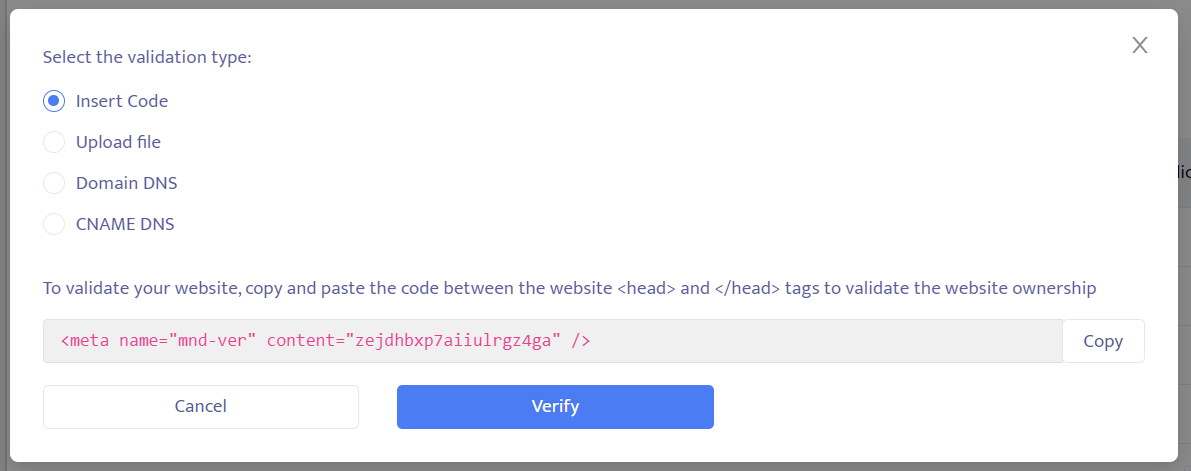
To validate your website, copy and paste the code between the website <head> and </head> tags of your website code to validate the website ownership.


1. Copy the red code shown in your Mondiad window: 
Mondiad ad code


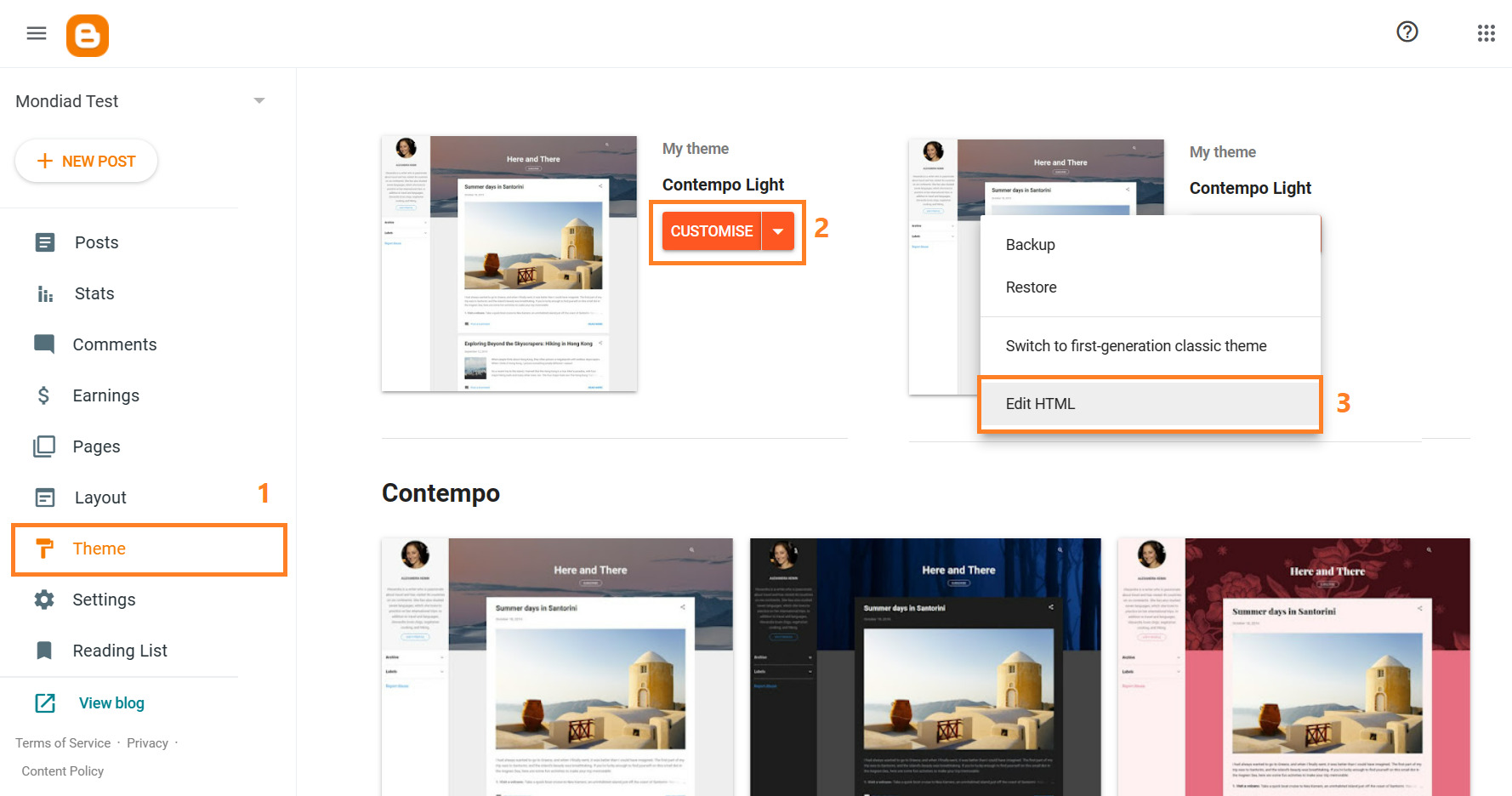
2. Sign in to your Blogger account and head over to your website’s “Theme” section in the left menu -> head over to your active theme -> click on CUSTOMIZE -> click on Edit HTML.
Mondiad ad code

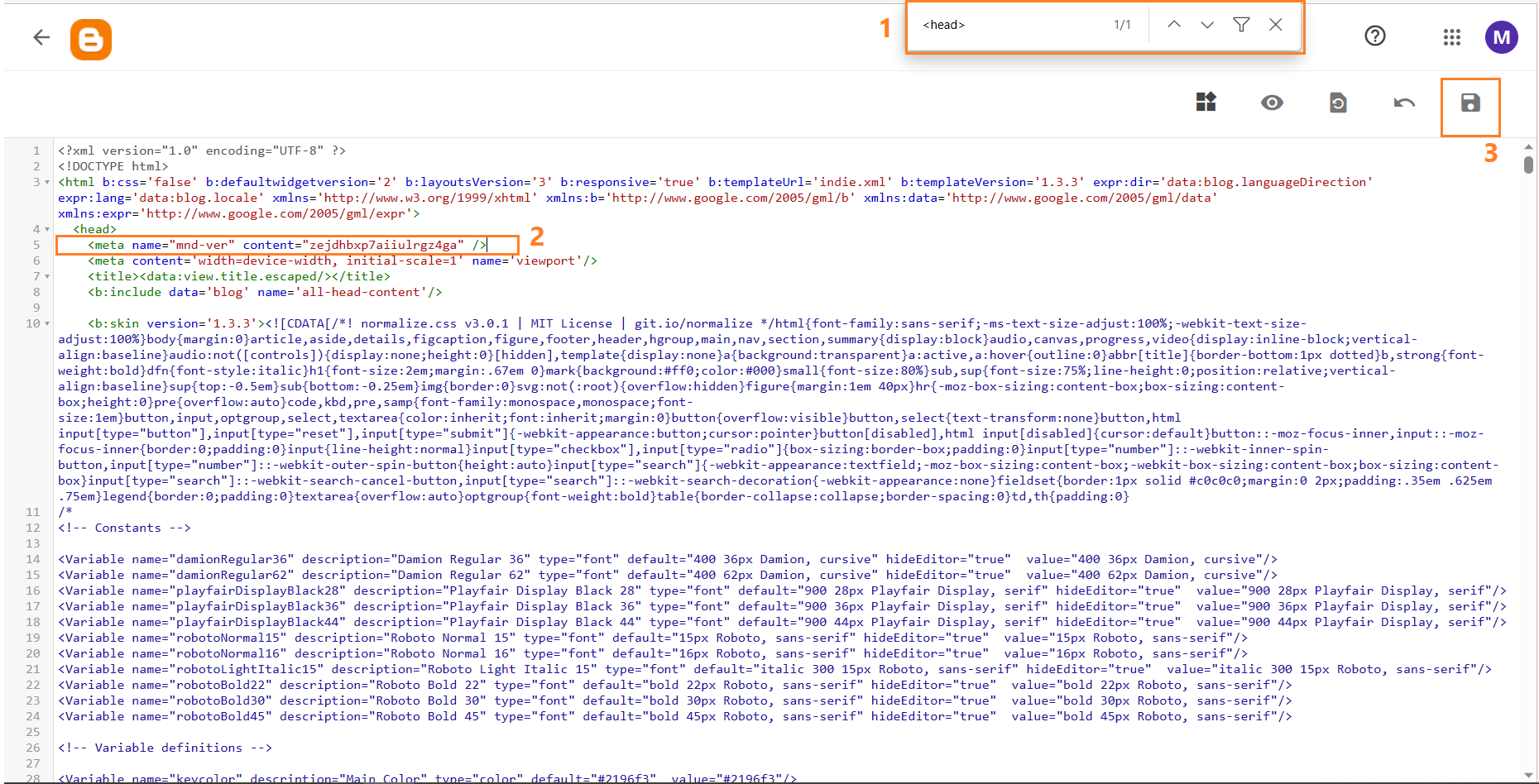
Now use the CTRL + F command on your keyboard to look for the <head> tag in your website’s code.


3. Paste the code in between the website’s <head> and </head> tags -> Save changes.
blogger ad code integration

* The code must be placed in the first <head> section, before the <body> section and never within specialized tags like <style>. Better to put the code snippet on a separate line, right under the <head> tag.


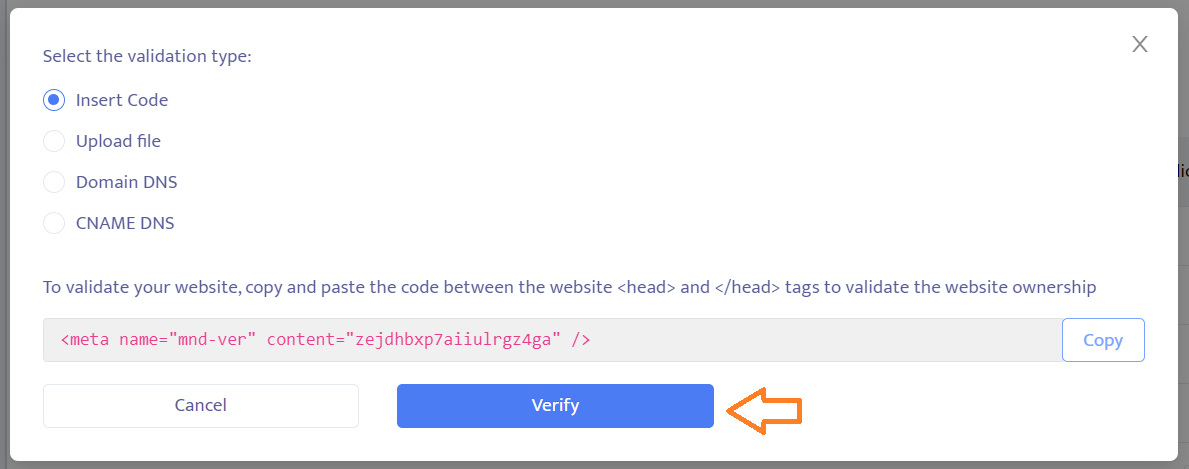
4. Click the “verify” button from your Mondiad window and wait for the website validation confirmation.
blogger ad code integration

All done. If you’ll check the website panel you’ll see the status of your website now shows “accepted” and you are good to go to continue configuring the rest of the setup.

mondiad website configuration

For Blogger/Blogspot domains, we recommend this tag validation method since is the least lucrative method for this domain host.

If you need help with anything, let the support team know about it, and we will help you asap.

HelpCenter publisher
Previous ArticleTrack your Mondiad Traffic with ClickMagick!
Next Article How to integrate the Mondiad ad code into your WordPress website!
Oana Vasarhelyi
  • LinkedIn

Language enthusiast turned translator at core. Now, an ad tech girl in the affiliate world as a full-stack marketer for Mondiad since 2022. Off the clock, you can find me nerding out over books, playing video games, or sketching something.

Related Posts

AFFILIATE EVENTS

How to Build a Career in the Affiliate Industry

25.03.2026
PARTNERSHIPS

CIPIAI Review 2026: Smart Affiliate Marketing Made Simple

24.03.2026
PARTNERSHIPS

When It Makes Sense for a Business to Launch Virtual Cards for Clients and Teams

16.03.2026
Contents hide
1 The insert code method
1.1 1. Copy the red code shown in your Mondiad window:
1.2 2. Sign in to your Blogger account and head over to your website’s “Theme” section in the left menu -> head over to your active theme -> click on CUSTOMIZE -> click on Edit HTML.
1.3 3. Paste the code in between the website’s <head> and </head> tags -> Save changes.
1.4 4. Click the “verify” button from your Mondiad window and wait for the website validation confirmation.

Get 15% deposit bonus

Register now and you will get a 15% deposit bonus available for new users.

Register
Categories
  • AFFILIATE EVENTS
  • COMPANY NEWS
  • EXPERT KNOWLEDGE
  • INDUSTRY INSIGHTS
    • AFFILIATE MARKETING
    • CAMPAIGN OPTIMIZATION
    • MONETIZATION TIPS
  • PRODUCT UPDATES
    • PARTNERSHIPS
  • SUCCESS STORIES
PopCash.net
Facebook X (Twitter) Instagram YouTube LinkedIn
  • Home
  • About Us
  • Contact
© 2020-2026 Mondiad. All rights reserved.

Type above and press Enter to search. Press Esc to cancel.