



Optimization rules are an in-house technology and a great performance testing and optimization tool for your ad campaign parameters, saving you time and money.

Using predefined criteria and actions that help streamline and optimize ad campaigns, advertisers can ensure that their campaigns run efficiently, respond to performance changes in real-time, and minimize manual intervention.
What Are Mondiad Optimization Rules?
Mondiad optimization rules help your ad campaigns perform better, saving you time and money. They allow you to automate the disabling of low-performing creatives, subids, zoneids and campaigns.

⚠️ As we are trying to improve the Mondiad optimization rules, updates may be necessary. For the latest version, check your Mondiad account when creating/editing campaigns.
Example:
If subid has more than $5 spent & ROI is less than $4 during the last 24h, then PAUSE.
To use optimization rules, you need to use a conversion tracker (use the [clickid] token in your URL) to pass back conversions. If you forget to do it, you will get a message notification informing you that you are not using the tokens for conversion tracking; thus, optimization cannot be applied.
Cool, right?
How Does Mondiad’s Rules Work?

- We start collecting the stats from the very moment you create the rule for your campaign and we will check and apply it automatically every 5 minutes.
- Test and combine different rules for better results. On each campaign, you can currently create a maximum of 5 rules.
- A rule becomes active right after being saved with the new/modified parameters.
- If your campaign has a very wide targeting (or a very high bid) we may not be able to block the segments on time (campaign/creative/zoneid/subid), so overspending is possible.
Why Should You Use Optimization Rules?
By leveraging the Mondiad automated rules, you can achieve more efficient, effective, and scalable ad campaigns, leading to better results and higher returns.
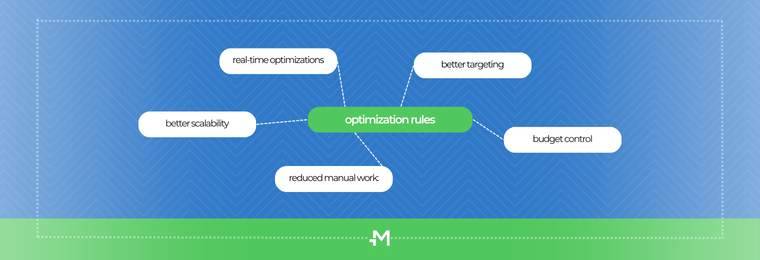
Custom Rules: Create tailored rules that match specific business goals, campaign objectives, and performance criteria.
Timely Adjustments: Automatically pause or adjust campaigns that are not reaching the right audience or achieving desired results.
Budget Control: Automation rules help prevent overspending by capping budgets or reducing bids when performance criteria are not met.
Consistent Monitoring: Automation ensures continuous monitoring and adjustment of campaigns, preventing performance dips.
A/B Testing: Automatically rotate and test different ad creatives to determine the most effective versions.
Minimized Human Error: Automation reduces the likelihood of mistakes that can occur with manual adjustments.
Expansion: Easily scale up advertising efforts without a proportional increase in manual workload.
How Are Mondiad Optimization Rules Formed?
A rule will be formed of (minimum) 4 parameters as follows:
| On which dimension the rule apply to | SubID, ZoneID, Creative, Campaign |
| Values reflecting how much the dimension is spending | Clicks, Spent, Impressions |
| Values reflecting the performance of the dimension | Conversions, Revenue, CTR, ROI, Conversion rate, Conversion cost, Clicks (disabled when the user chooses “clicks” as the first option) |
| The timeframe of the rule | Default: last 24h, Predefined values: Last 24h / Last 2-7 days |
| The desired action | Blacklist (default), Add to audience, Blacklist & add to audience, Pause, Increase bid, Decrease bid |
Whenever the “add to audience” option is selected, you will receive a new drop-down box with your Audience lists.
Whenever you select “zoneid” or “subid” in the beginning, you will later get only the Audiences which are for zones, respectively subids.
If your campaign has an audience set in the targeting, the only options for the “zoneid/subid” rules will be: “add to Audience”.
Mondiad Optimization Rule Combinations
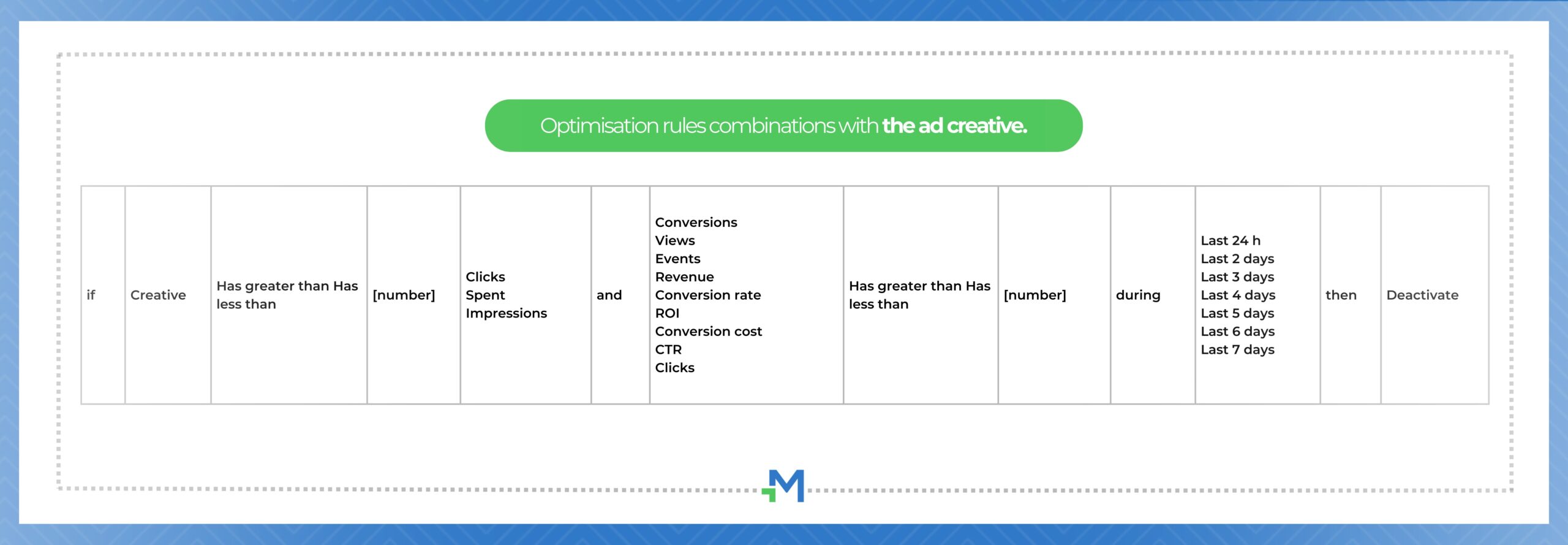
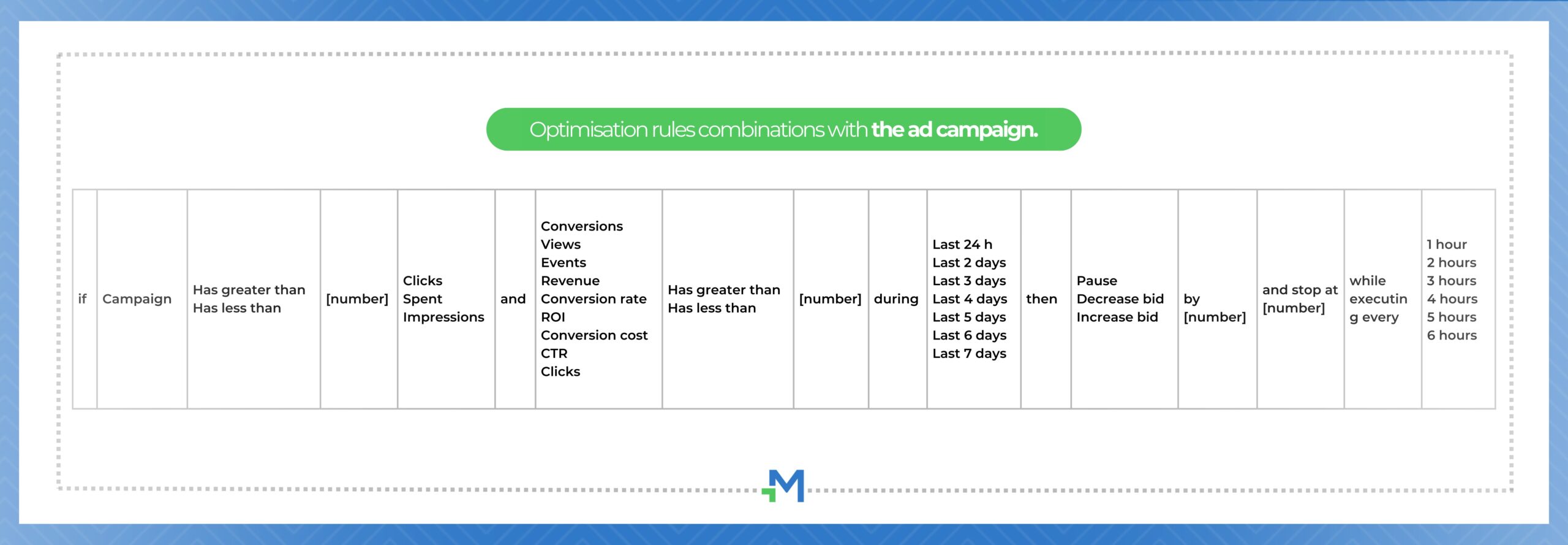
From another perspective, these are the combinations available based on which dimension the rule applies to:
AD CREATIVE
AD CAMPAIGN
ZoneID / SubID
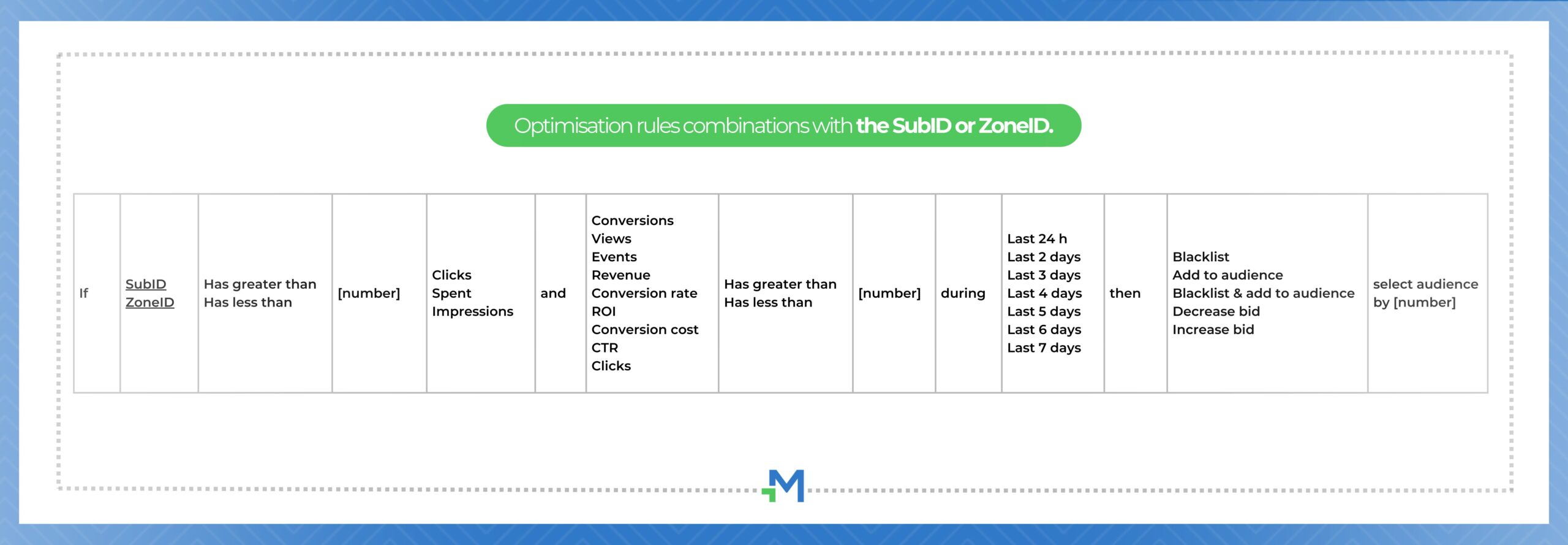
*X can be a number/a sum of money /a percentage
Mondiad Optimization Rules Setup
To create a rule, you must simply head over to your “Campaigns” tab in the left menu of your Mondiad account and click the “Create Campaign” button to launch a new campaign.

Here, in the campaign creation tab, navigating through the configuration settings, you will reach the optimization rules set up, as your final step before configuring your ad campaign.

Create a New Rule

When creating an optimization rule, you can also save it as a template and later use it in other campaigns by loading it from your saved templates.

Use a Mondiad Pre-saved Rule Template
To load a rule you’ve already saved, select add rule -> from template and from the list with the available rules, click the + button to add your rule to your current campaign (or X to remove it).
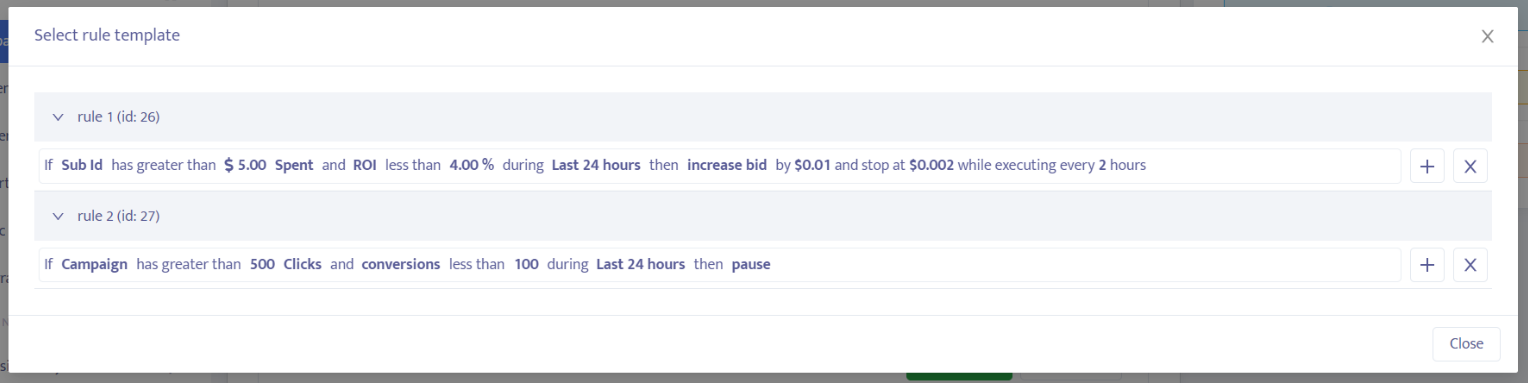
Mondiad Optimization Rule Presets
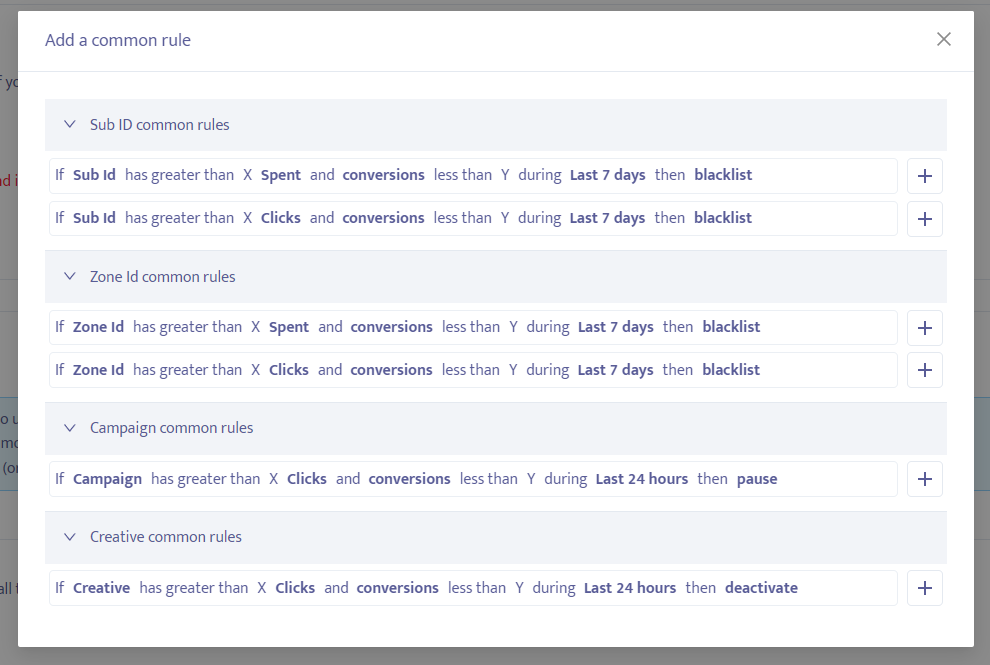
⚠️ A list of all the changes the system has made to a particular rule will be shown if you click on the “Log History” button to the right of that rule.
See the Mondiad Optimization Rules In Action!
- Case study: optimization rules x traffic audiences
- Case study: optimization rules x event tracker
- 9 high-impact Mondiad optimization rules to try out
Start Your Mondiad ADventure!

We are just one click away. Join ad network Mondiad today and access premium, worldwide traffic, advanced targeting, and powerful ad formats that deliver results.
