Everyone in this industry surely knows that when planning on grabbing people’s attention, especially via digital ads, every second counts.
Hear us out.
While static ads are straightforward and effective in some contexts, GIF creatives offer a dynamic edge that helps you cut through the noise, engage your audience, and ultimately drive better results.
If you’re looking to level up your ad campaigns, incorporating GIFs could be your secret weapon.
TL;DR
- Dynamic ads (GIFs) use short looping animation to grab attention, convey more info per ad, and tend to drive higher engagement/CTR than static, at a slightly higher production effort and file size.
- GIFs are a lighter-weight, cheaper alternative to video: no sound needed, autoplay by default, easy to make from images or video clips using free tools (Giphy, Tenor, Ezgif, Canva, GIMP, etc.).
- Best use cases for dynamic creatives: product/concept demos, promotions & FOMO offers, injecting brand personality, and standing out in busy feeds.
Static vs. Dynamic Ad Creatives: Key Differences at a Glance
Static creatives are single-frame images — just a snapshot, no movement. A good static creative uses a compelling visual and concise text to get its message across in a matter of seconds.
They are quick and easy to design, have smaller file sizes, and super effective for simple messages or calls-to-action (CTAs). However, static ads can struggle to stand out in a sea of digital noise, especially on busy web pages or social feeds.
Dynamic creatives, often in the form of GIFs, use short, looping animations to convey a message. Unlike videos, GIFs are lightweight, autoplay seamlessly, and don’t require users to hit “play” or turn on sound.
It can include text animations, step-by-step visuals, product demonstrations and other eye-catching motion graphics, making this approach an easier way to grab viewers attention, without the cost and effort of full video production.
| Key differences | STATIC CREATIVES | DYNAMIC CREATIVES |
|---|---|---|
| Visual Appeal | Simple, but can blend in easily | Animated, eye-catching, stands out |
| Information | Limited to one frame | Conveys multiple points in one ad |
| Engagement | Lower engagement rates | Higher engagement and CTRs |
| Load Time | Fast load time | Slightly larger but still efficient |
| Cost | Quick and cheap to produce | Slightly more effort, higher ROI |
What Is a GIF and How Does It Work in Digital Advertising?
A GIF (Graphics Interchange Format) is an image format that supports animation by combining multiple frames in a looping sequence.
Unlike static images (like JPEG or PNG), GIFs can display short, silent animations, making them useful for conveying motion or brief messages.
The format gained traction in the early days of the web and has since evolved into a popular medium for memes, reactions, and creative content. Today, GIFs remain extremely popular in digital culture, especially for memes and reactions. While newer formats like MP4 videos and animated stickers are growing in popularity, GIFs remain a simple, universally supported medium for quick animations.
– So we can use GIFs as ads?
– Absolutely! Look how cool it looks!

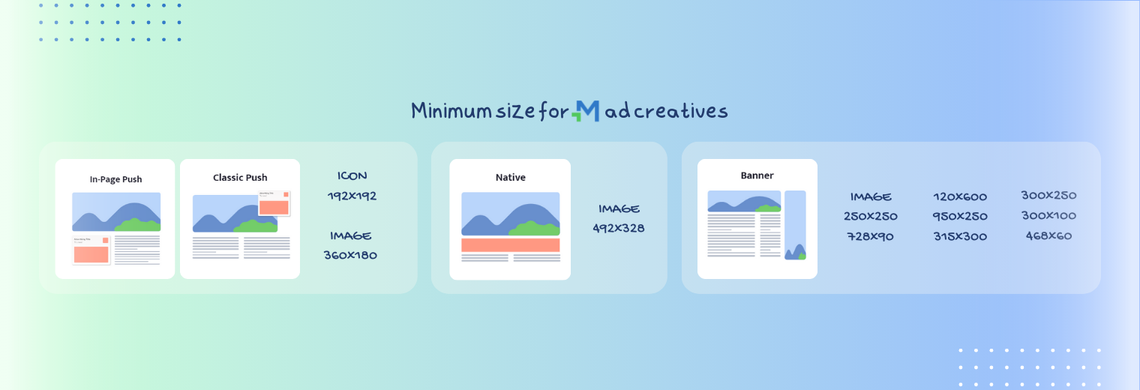
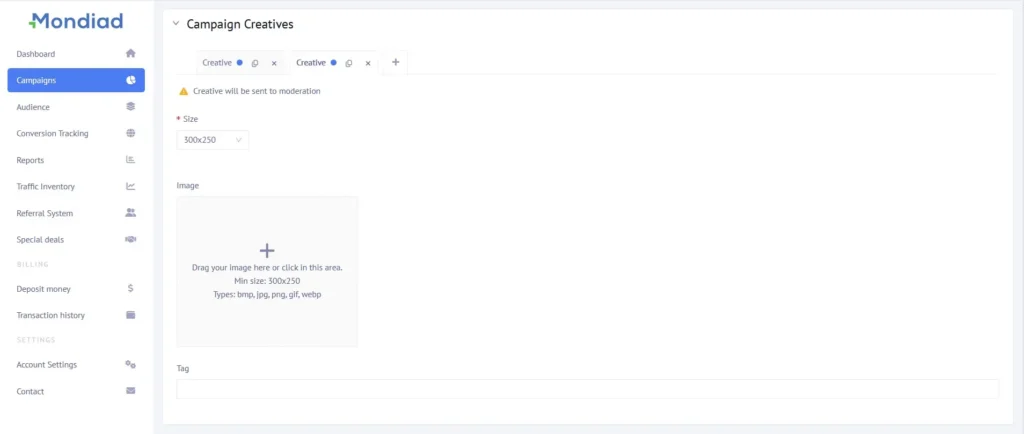
In our platform, for example, you can use both static and dynamic formats as your ad creatives: bmp, jpg, png, gif, webp. Start a new campaign and see for yourself.
BMP vs. JPG vs. PNG vs. GIF vs. WebP: Which Format Should You Use?
| Format | Best For | Animation | File Size | Image Quality | Browser Support | Main Drawback |
|---|---|---|---|---|---|---|
| BMP | Basic, uncompressed images | No | Very large | Excellent | Broad | Huge files; rarely suitable for ads |
| JPG | Photos and complex visuals | No | Small | Good | Excellent | Lossy compression; no transparency |
| PNG | Logos, graphics, text, transparent designs | No | Medium–large | Excellent | Excellent | Larger files than JPG/WebP |
| GIF | Simple animations and lightweight motion | Yes | Medium | Limited | Excellent | 256-color limit; inefficient for complex visuals |
| WebP | Modern web ads and high-quality graphics | Yes | Very small | Excellent | Excellent | Older systems/tools may have compatibility issues |
Takeaway: GIFs are the fastest, lowest-effort way to add motion to an ad.
We recommend using the WEBP format over GIF. WebP offers smaller file sizes, better quality, and more color options than GIFs, making it ideal for dynamic ad creatives.
Why Use Dynamic (GIF) Creatives Over Static Ads?
We’re not saying static ads are less awesome. We’re just saying to consider all aspects when launching an ad campaign, and in this particular article, we’ll be focusing on ad visuals.
According to Zuuvi (2022), animated display ads generated a 785% higher CTR than static display ads (0.230% vs. 0.026%).
Zuuvi.com
Incorporating GIF creatives into your ad campaigns can boost engagement, enhance message delivery, and make your brand more memorable. Here’s why.
1. Quicker at grabbing attention
GIFs are naturally eye-catching because they include motion which captures attention more effectively than static images. In the age of scrolling, this makes a big difference. Motion draws the eye, increasing the chances your audience will notice and engage with your ad.
2. Convey more information
With multiple frames, GIFs can show a process, highlight different product features, or introduce a brief story, improving comprehension. all in a few seconds.
3. Have higher engagement rates
Studies show that animated ads have higher CTRs compared to static ones.
4. Great alternative to videos
While videos are powerful, they require more resources, planning, and budget. GIFs offer a middle ground.
Creating GIFs requires less time and technical expertise than producing videos, making them a cheaper option for dynamic content.
GIFs can be designed from static images or video snippets without complex production.
ℹ️ GIFs have no sound: Visual-only format, making them suitable for silent environments.
5. Quick and easy to create
GIFs are also smaller in file size than videos, allowing for faster load times and smooth delivery even on slower connections. GIFs are also easier to integrate than videos.
– Creating GIFs is easier than ever and there a plethora of free tools available, including most popular: giphy, tenor, ezgif, Imgur Video to GIF, GIMP or Canva.
– Just decide what you want your GIF to capture: a short clip, an animation, or series of images and just crop, resize, add text, filters, or effects.
6. The looping effect
The looping (typically 2-10 seconds long) nature of GIFs reinforces your message. Without any effort from the user, your ad can repeat key points, increasing the chances they’ll remember it.
7. Better with emotional appeal
GIFs can inject humour, excitement, or urgency into ads, making them more relatable and shareable.
8. Better with memorability:
Content that triggers an emotional response is more likely to create a lasting impression of your brand in the minds of your audience.
When Should You Use GIF Ads Instead of Static Ads?
1. Product & Concept demos:
- Turn numbers into compelling, animated visuals.
- Introduce your business/services creatively
- Showcase multiple features or break down complex ideas step-by-step.
- Ideal for before/after testimonials.
2. Highlighting promotions/FOMO:
Highlight discounts, sales, or special deals dynamically. Use GIFs to grab attention and prompt immediate action.
3. Add personality:
Use motion to convey humor, energy, or brand values; showcase company culture and creativity.
4. Stand out:
Stand out in busy feeds, boost interactivity, and enhance communication strategies.
7 Best Practices for Creating Effective GIF Ad Creatives
1. Keep it short: Aim for 2-10 seconds for quick consumption.
2. Ensure smooth transitions: Make the looping point clear but use smooth animations or fades. Choppy or overly fast transitions can be distracting.
3. Focus on a single message or CTA (Call-to-Action): Don’t overload with too much text or detail.
4. Make the first frame count: The first frame should hook the viewer instantly. Place the most important message or visual at the start of the GIF.
5. Bold visuals stand out: Use high contrast, bright colors, and large text make GIFs eye-catching.
6. Show your brand: Include your logo or brand colors for recognition. Ensure the branding is subtle but noticeable.
7. Optimize for mobile: Ensure it looks good on small screens. Compress the file size for quick loading, especially on mobile.
FAQ
What’s the main difference between static and dynamic (GIF) ad creatives?
Static ads are single, fixed images, simple and fast to produce but can blend into busy pages. Dynamic/GIF ads loop short animations, which draw more attention, can show multiple points in one ad, and generally get better engagement, at the cost of slightly more production effort.
What exactly is a GIF?
A Graphics Interchange Format file, an image format that strings together multiple frames into a short, silent, looping animation. It’s been a staple of web/meme culture since the early internet.
Should I use GIF or WebP for my ad creative?
At Mondiad, we recommend WebP over GIF, since WebP gives smaller file sizes, better image quality, and a wider color range while still delivering the same animated effect.
When should I choose dynamic creatives over static ones?
For product/concept demos, before-and-after comparisons, promotions or limited-time/FOMO offers, showcasing brand personality, and generally when you need to stand out in a crowded feed.
How long should a GIF ad be?
Aim for roughly 2–10 seconds, short enough for quick consumption but long enough to land the message.
What tools can I use to make a GIF ad?
Free/easy options mentioned include Giphy, Tenor, Ezgif, Imgur Video-to-GIF, GIMP, and Canva.
Do GIF ads need sound?
No, GIFs are visual-only and silent, which also makes them suitable for sound-off environments (a plus over video ads).
GIF Ads vs. Static Ads: Which Should You Choose?
As we mentioned in the beginning, while static ads have their place, dynamic GIF creatives often steal the spotlight.
– Using dynamic creatives, you can be transformative in your communications
– Using dynamic creatives, you create a connection
– Using dynamic creatives makes you stand out
– Using dynamic creatives, you convey more information
– Using dynamic creatives, you show your personality
– Using dynamic creatives, you are more relatable