For an ad campaign to be successful, it needs to be optimized. To be optimized, you need data… the more data, the better. Enter conversion goals, a new parameter ready to assist you in evaluating the success of your ad campaign and optimizing it for better performance. Keep reading to learn all about it.
What are Mondiad conversion goals?
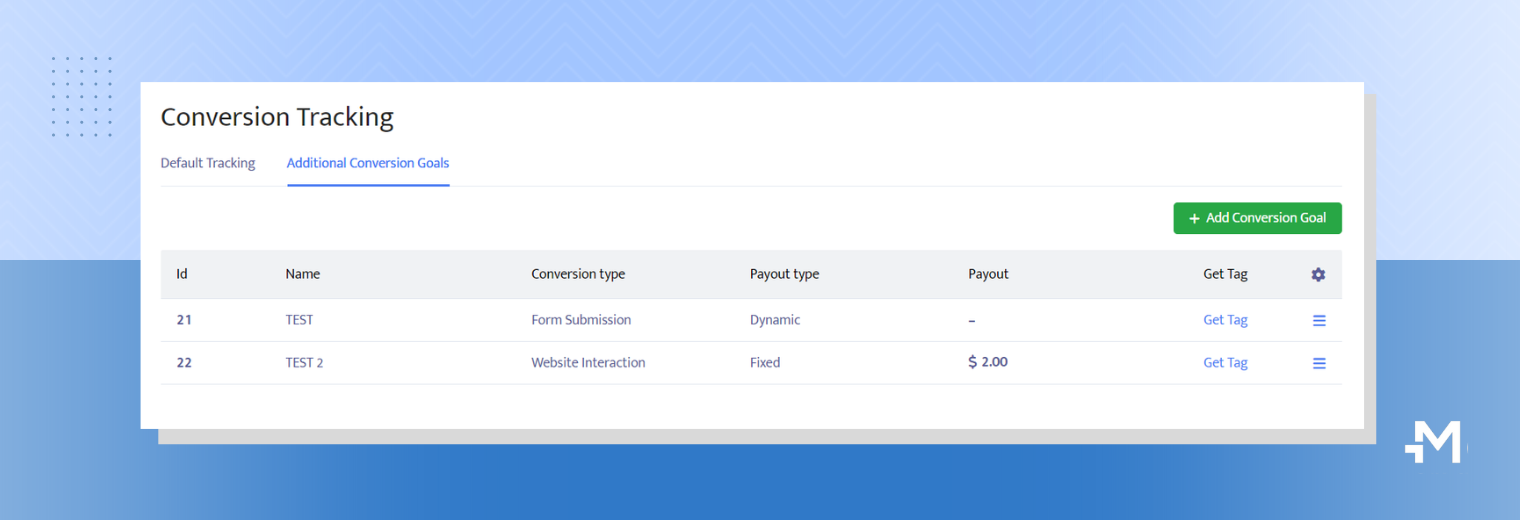
Conversion goals(or events) refer to the desired actions that advertisers want their ad viewers to take after seeing their digital ads.
These actions typically align with the advertiser’s campaign objectives and can range from ad viewers submitting a form or making a purchase.
Use cases for Mondiad conversion goals
- To evaluate the success of an ad campaign by providing extra data.
- To optimize the campaign for better performance & ROI.
- To help you in retargeting users.
How to set up Mondiad conversion goals
To start, it is important to note that conversion goals require working with an ad tracker. The integration process is similar to the S2S Postback tracking where data is passed between the ad tracker and us(traffic source) via URL parameters but in this case, it’s about generating an additional unique tag.
To finish the setup you will need to make configurations on both platforms.
STEP 1: Create a conversion goal
Create a conversion goal by heading to the Conversion Tracking (left sidebar) and then to the Additional Conversion Goals section.
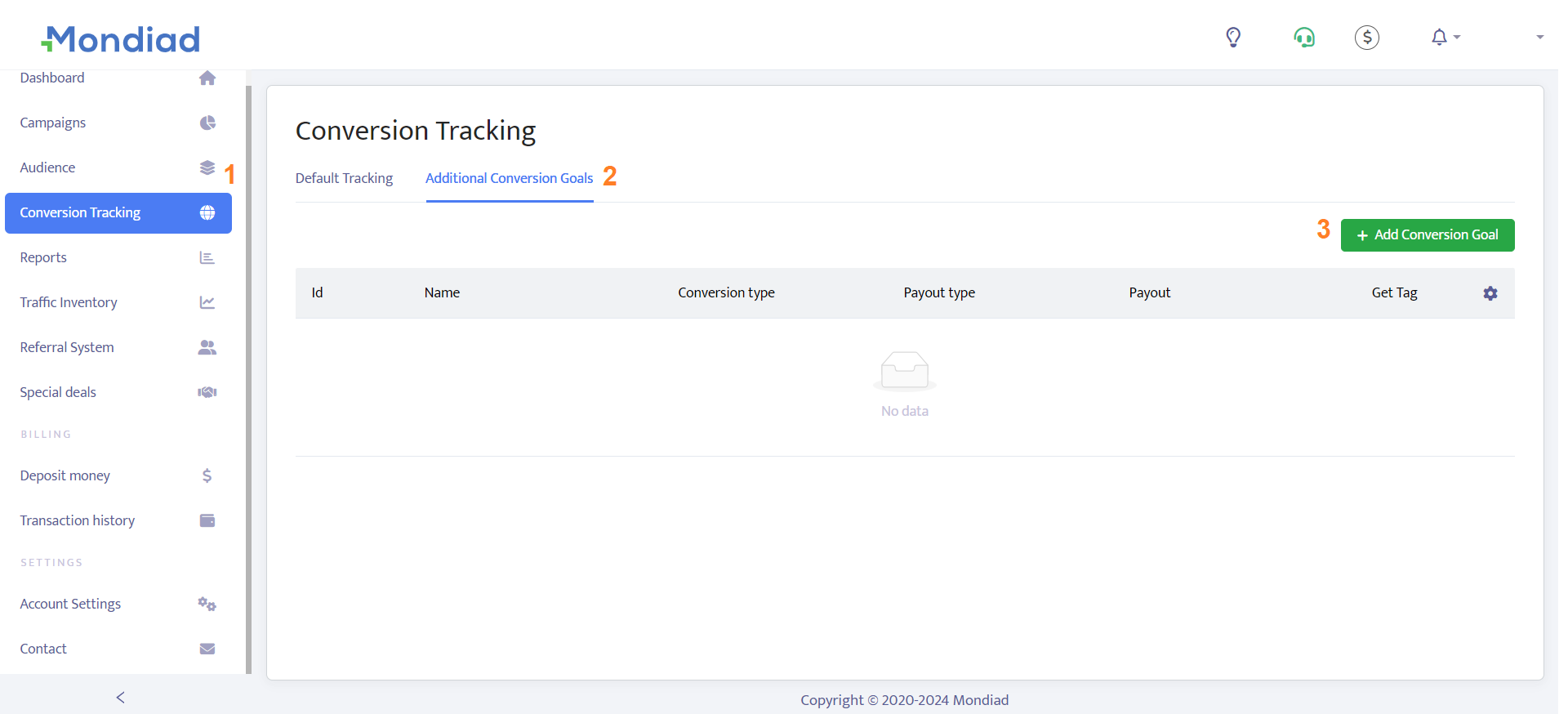
Here, click on the Add Conversion button and fill out the required fields.
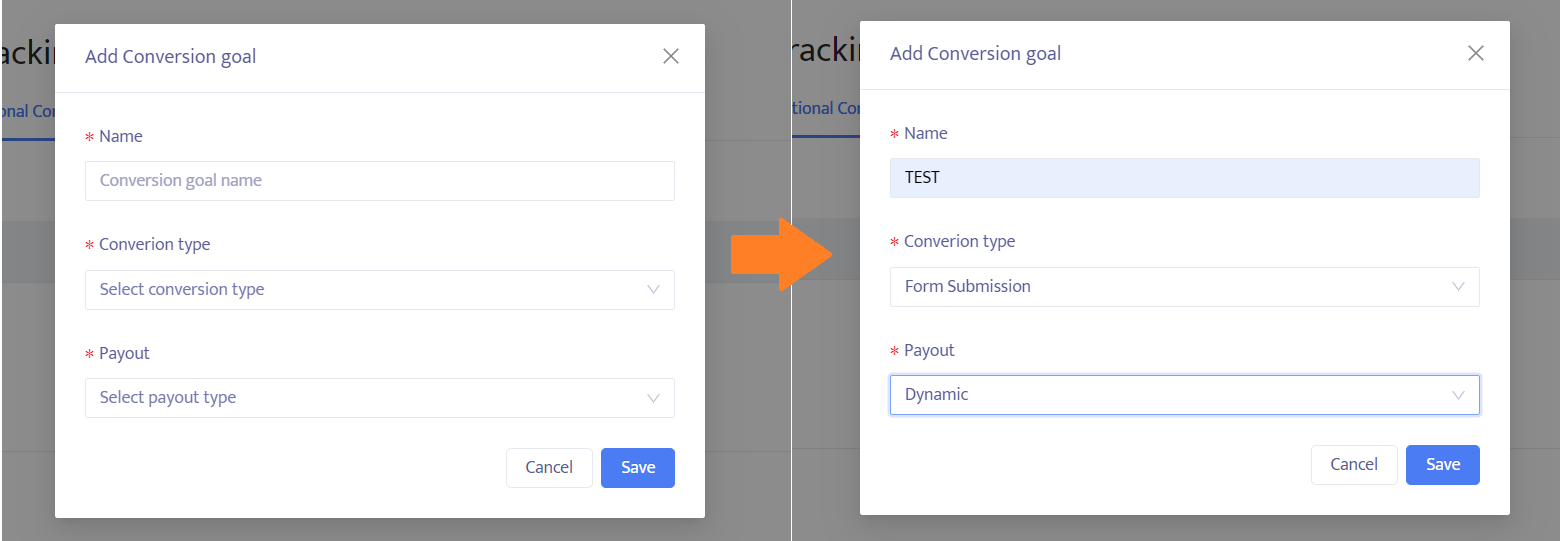
🔹 Give your goal a name.
🔹 Choose a conversion type from the dropbox.
| Subscription | This conversion is triggered when users sign up to receive newsletters, updates, or access premium content. |
| Lead | This conversion is triggered when the ad viewer is showing interest in the ad by requesting a quote, or signing up for a free trial, for example. |
| Purchase | This conversion is triggered when users buy a product, subscribe to a paid service, or complete a transaction. |
| Website interaction | This conversion is triggered when users click on specific elements, view multiple pages, or spend a certain amount of time on the site. |
| Form submission | This conversion is triggered when users provide their contact information through a form on the advertiser’s site. |
| App Install | This conversion is triggered when users install an app after clicking on an ad. |
| Other | If you don’t want to track anyone of the above options, just select this conversion type. |
🔹 Choose a payout method.
As you may know, payouts in affiliate marketing offers can be either a fixed amount or a dynamic rate which can vary based on several factors. For best results with your campaign tracking, it is best to specify your payout method.
- Fixed
- Dynamic (Specify amount)
After filling out all the fields, click save, then proceed to click the Get Tag button to grab your unique tag.
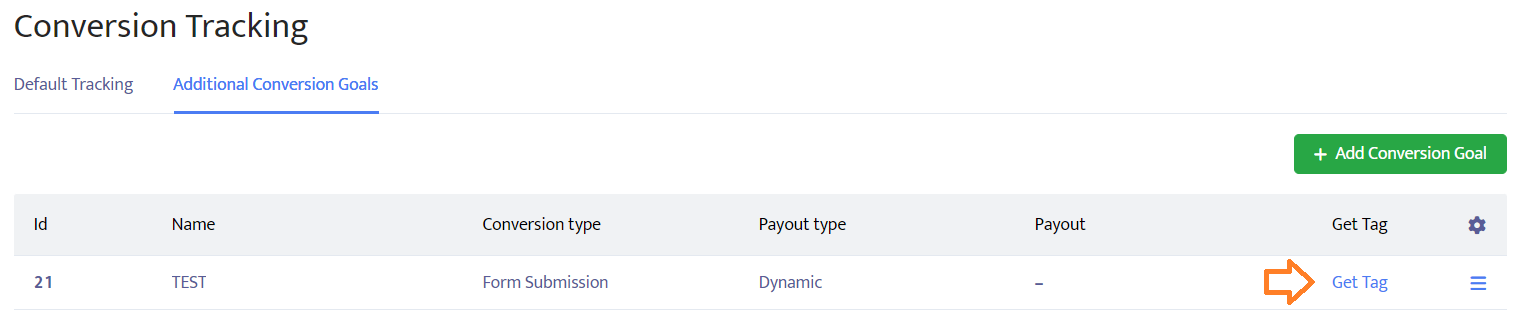
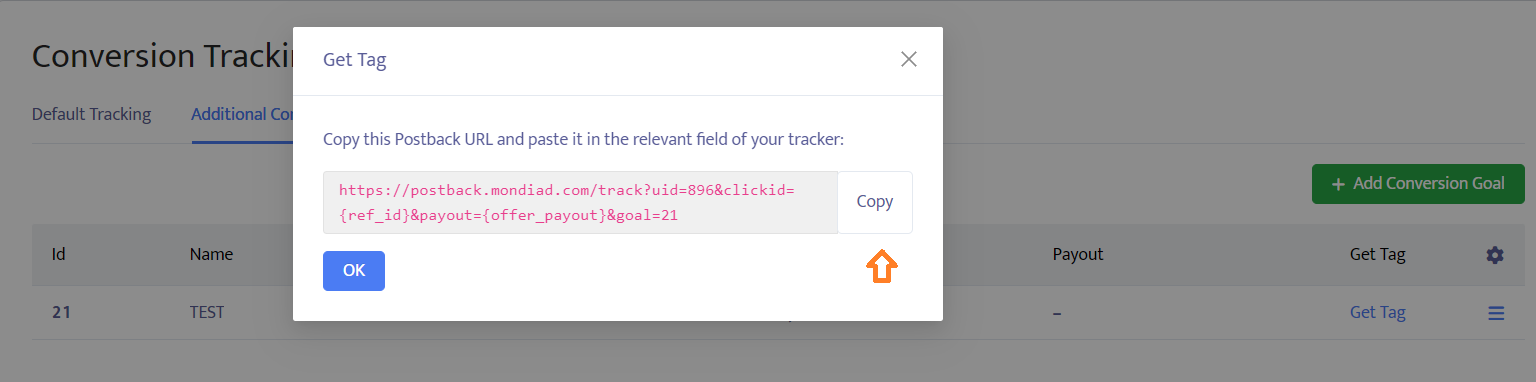
Each goal you create in Mondiad will have a unique tag/Postback URL that you will need to paste into a specific section of the ad tracker of your choice.
STEP 2: Select a conversion tracker to make the rest of the setup
Let’s showcase a concrete example using our partner, ad tracker BeMob which already has official documentation on how to setup your custom conversions.
- Go to Settings on the panel.
- Access Custom Conversions section.
- Click on Add Event button. The window of Custom Conversion Event settings will appear.
- Give your Event a name and fill in the “cet” parameter. This parameter refers to the value of your goal in Mondiad.
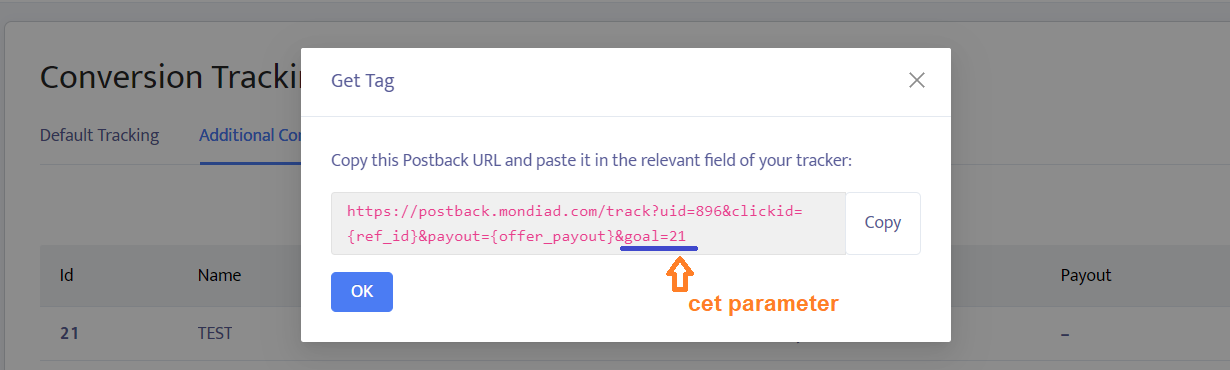
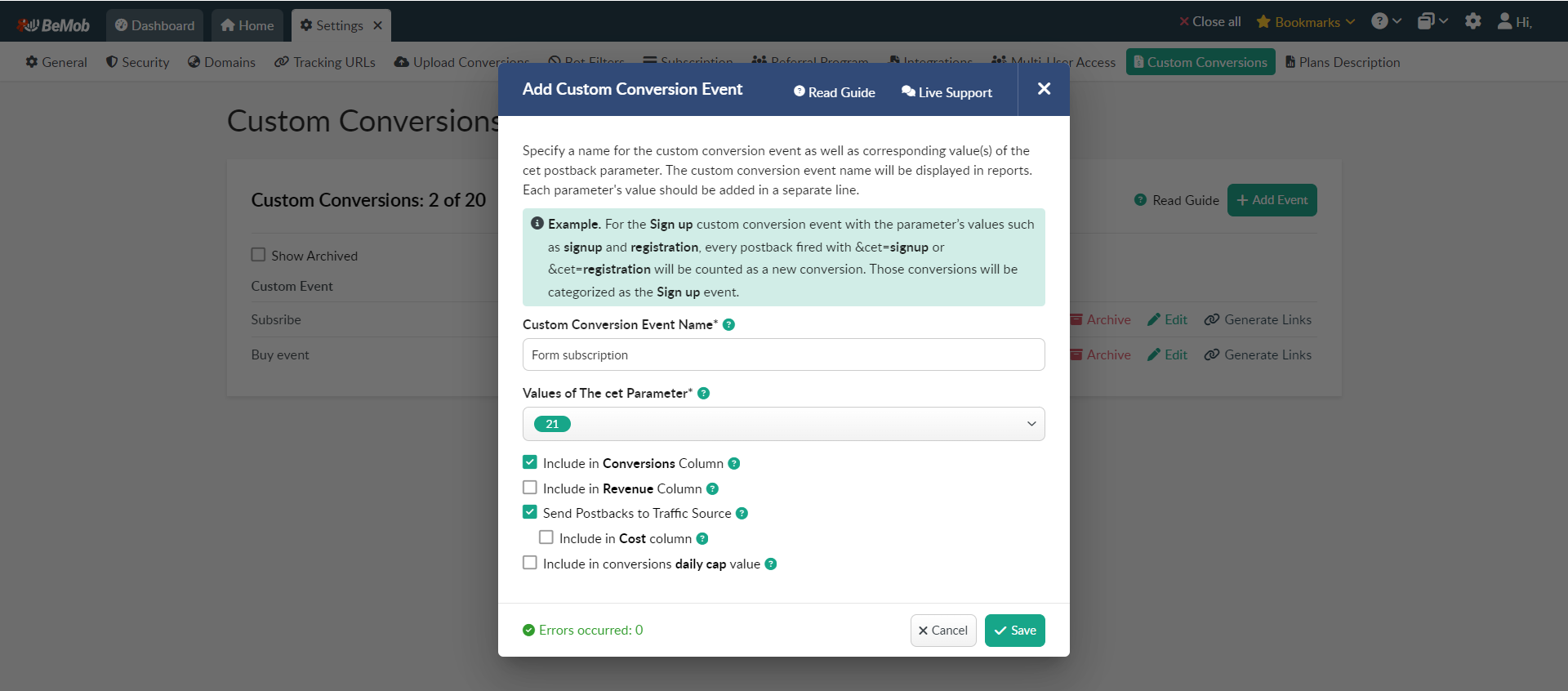
Make sure you tick the send postback to traffic source option.
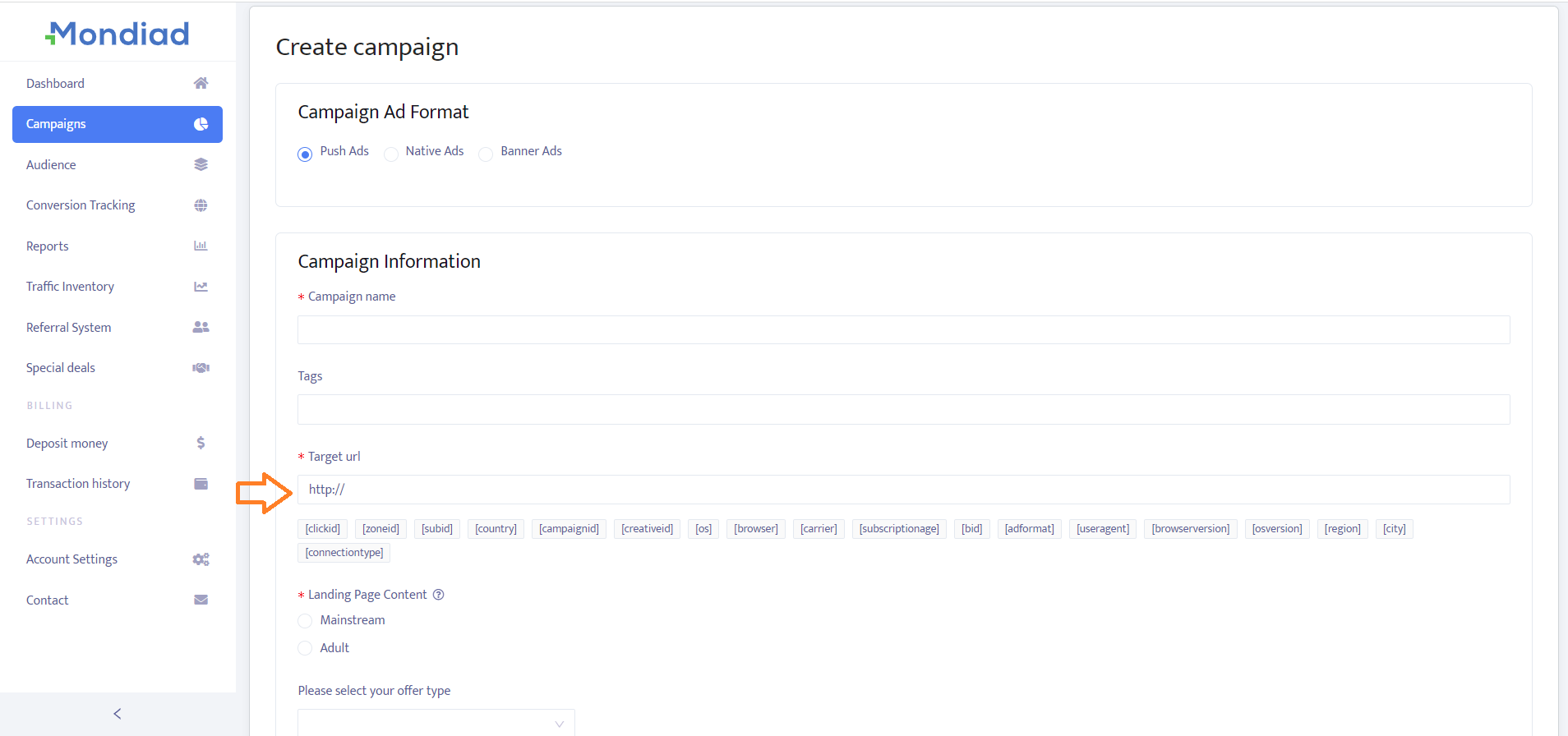
After this setup, the campaign URL generated in BeMob will be inserted into your Mondiad Target URL when creating a new campaign, and from there, everything is tracked as described.
Track & Optimize with Mondiad!
Note that we have a selection of ad trackers already integrated with Mondiad, which will make things easier when it comes to setting up campaigns.
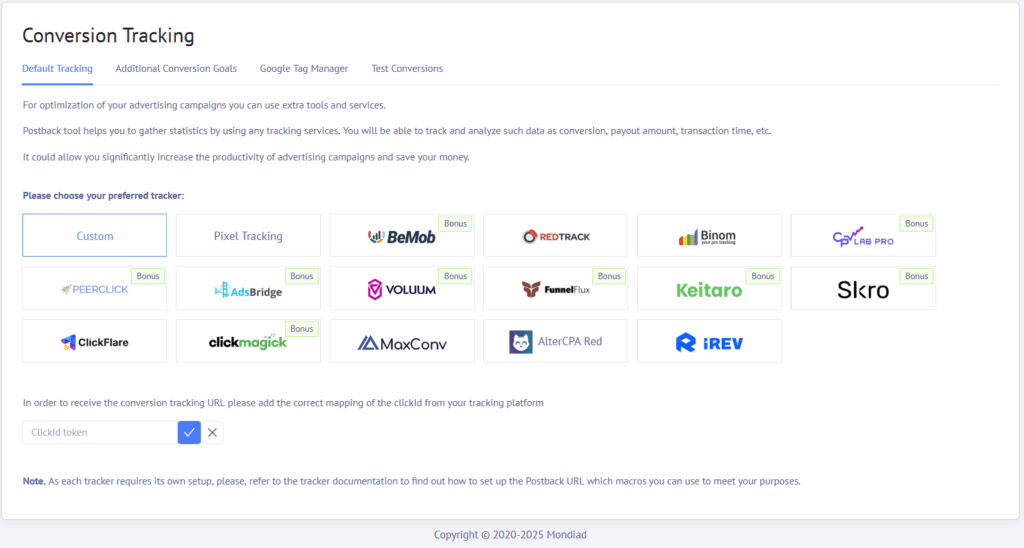
Also, keep in mind that each tracker may have different ways to integrate data, so please refer to their official documentation as well.