


How many ads do you see online, on a daily basis? According to Forbes, “Digital marketing experts estimate that most Americans are exposed to around 4,000 to 10,000 ads each day.” Even if you don’t fit the exact category, still, just take a moment to think about how many ads have you seen just today.
Now, why would they be so many? That’s simple… because they work. But ads come in all shapes and sizes, and that’s for a reason. To bring some light into this matter, today let’s tackle a bit one part of this ad pool, push advertising, or even better, the classic push vs. in-page push ads topic.
If you are part of the advertisers/affiliate marketers community, here’s a piece on all you need to know to get started with push campaigns! After all, with that much competition, you’ll want to be on top, right?
TL;DR
- Push ads come in two formats: classic push and in-page push ads.
- Classic push ads require user opt-in and reach high-intent audiences, while in-page push ads appear directly on webpages without subscriptions and offer broader reach.
- Classic push works better for engagement and retargeting, while in-page push is ideal for scale, visibility, and iOS compatibility.
What’s the Deal With Push Ads?
A push ad is basically an online advertisement in the form of a web push notification. As its name illustrates, an ad notification is “pushed” from point A(server/application) to point B(a user interface). The cool thing? They don’t occupy space on the publisher’s website.
It is known that push notifications were introduced for the first time in 2009, for IOS devices using APNs, by Apple Inc, the American multinational technology company. One year later, Google did the same thing, launching its own version and the rest is history.
Classic push and in-page push are two types of push notification ads that have different characteristics. Let’s dig into it.
Classic Push Overview
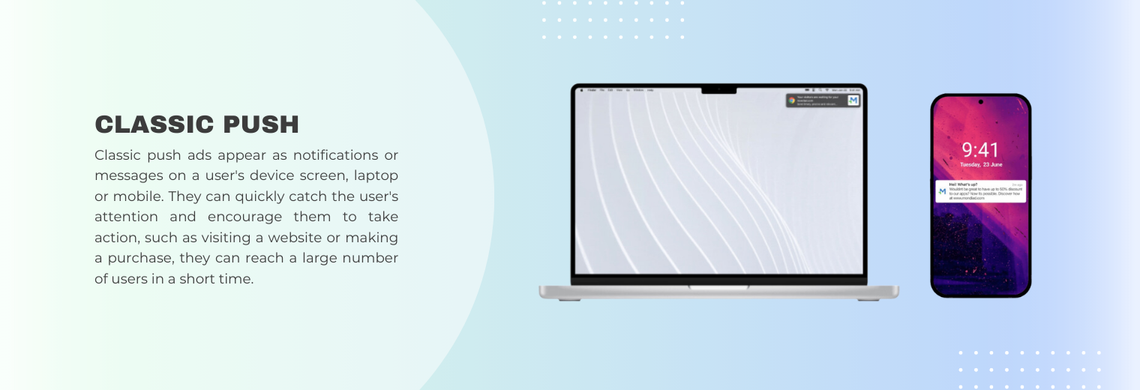
Classic Push or Classic Web Push like they’re also called are one of the most popular ad formats out there and the more traditional type of push notifications.
They appear like a small browser notification delivered to a user’s web browser or app and can be clicked to redirect the user to the advertiser’s landing page.
The only trick is, that in order to receive them, the viewer must subscribe to notifications, namely, consent to receiving them. If the user accepts, the publisher can start sending the ads whenever they choose to, even when the user is not currently using the site.
On another note, the user doesn’t have to leave his private data. Everything is safely encrypted. After the viewer clicks the ad, he is redirected to the landing page that was set up by the advertiser.
Main perks of classic push ads:
- Require the consent of the visiting user to get displayed, meaning he trusts the website he is visiting
- Require the consent of the visiting user to get displayed, meaning it is a real user, not fake traffic
- Are a great option if you wish to have access to your user at any moment
- Are used for all types of advertising campaigns
- Are user-friendly and very engaging for every user.
- Reaches users directly through mobile or desktop from everywhere
- Work very well for a variety of verticals
What Is In-Page Push Advertising?
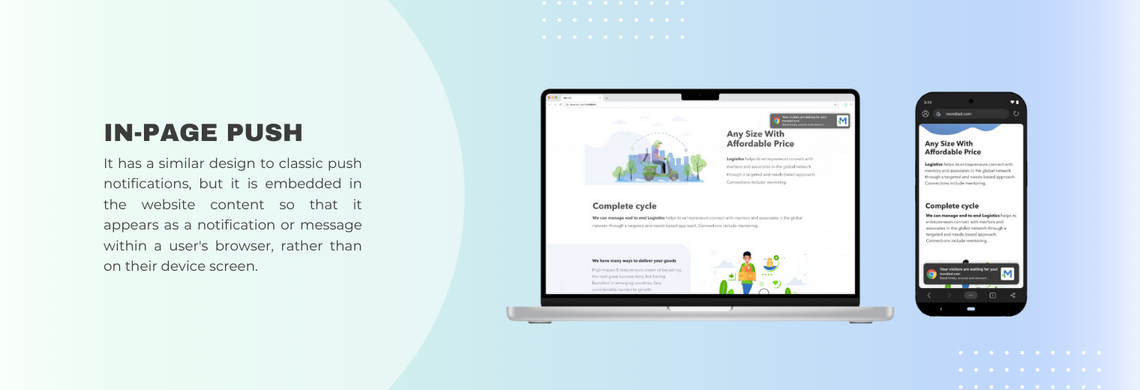
When it comes to the in-page push ad, this ad format is basically the evolved form of the classic push ad. They look like a combination between a popup and a messenger notification, shown in the corner of the screen.
The big deal with them is that in-page push ads do not need the user to have opted-in to receive them as they are delivered through the browser itself.
👉 Think of them as push-style ads without the limitations of push subscriptions.
This ad format is embedded in the website content and will automatically appear like a notification rather than a pop-up message, on the top/bottom of the publisher’s web page, to all the users that visit the website.
Main perks of in-page push ads:
- Does not require the user’s consent/a subscription to be shown
- Displayed in a push form after the page is loaded, directly on the website
- Compatible with all devices (desktop, mobile, tablet) and all browsers (including iOS, where traditional push is limited)
- Relevant for all users
- Do not interrupt the user experience
- Are compatible to iOS and macOS devices(compared to classic push ads)
- Offer high visibility and engagement
- Are designed to catch the user’s attention
- Work very well for a variety of verticals
Classic Push vs. In-Page Push:
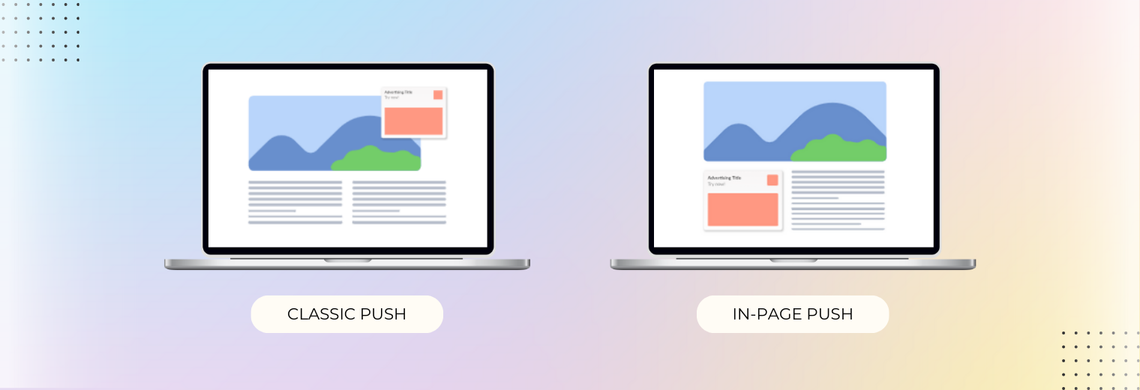
As already mentioned, the main difference between classic push and in-page push ads is the way they are shown to website visitors. As in-page push ads do not interrupt the user’s experience they are considered less intrusive than classic notifications.
On the other hand, classic push ads are known to perform better since they are delivered directly to the user’s device, even if the user is not currently browsing the web.
Both ad types provide great value to both end users and businesses. The issue of choosing which one is “better” stands in the advertiser’s goal, offer, and target audience.
Best Pricing Models for Push Ads:
Push ads are often cost-effective compared to other forms of advertising, such as traditional display ads or TV commercials.
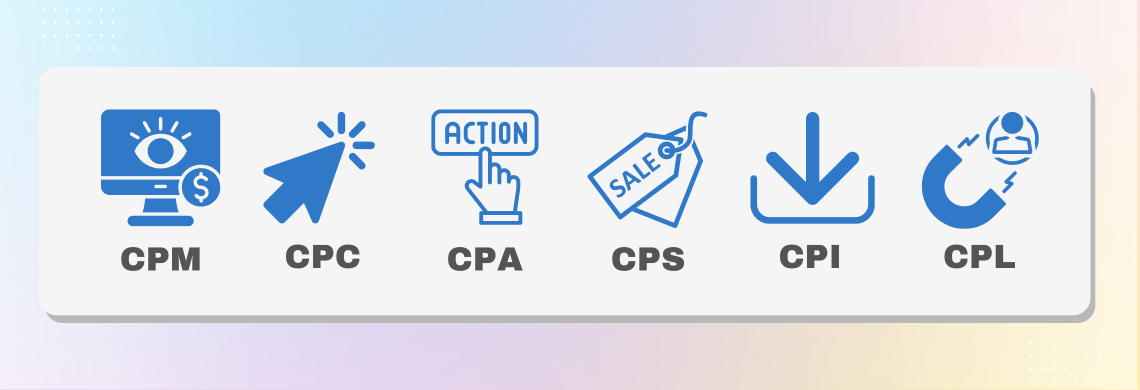
Ultimately, the best pricing type for push ads will depend on your specific advertising goals, budget, and the performance of your campaigns but the most popular cost models for push ads and the following:
- CPC (Cost per Click):
Perhaps the most straightforward model. With this model, you basically pay each time a user clicks on your push ad. This is best to drive traffic to your website.
- CPM (Cost per Thousand Impressions):
By choosing this model, you’ll pay for every thousand impressions of your delivered push ad. This is the top option if your goal is to increase brand awareness.
- CPA (Cost per Acquisition):
On a CPA basis, you’ll pay whenever a user takes a specific action that you have set up, be it making a purchase or signing up for a newsletter. Most advertisers choose this option for driving conversions, as you only pay when users take a desired action.
Mondiad recommends:
TargetCPA (Target Cost Per Acquisition) is a smart bidding strategy where you set the average amount you’re willing to pay for a conversion, and the advertising platform automatically adjusts your bids to help achieve that goal.
Target CPA is a good choice when:
- Your primary goal is to generate conversions (sales, sign-ups, leads, app installs, etc.).
- You have enough historical conversion data for the platform to optimize effectively.
- You’re comfortable allowing the platform to automate bidding in exchange for more efficient performance.
Top Verticals & Use Cases for Push Ads:
Push ads are great for informing users of news, promoting special offers, and overall engaging users without disrupting their web experience. Results stand in the hand of your campaign setup as well as the behavior of your target audience.
- eCommerce: sales, discounts, product launches
- Travel and tourism: travel deals and discounts
- Finance: credit cards, loans, investment services
- Media: news, new content, subscriptions to media outlets.
- Nutra/Health: health and wellness products, services, apps, healthy lifestyle articles
- Dating: dating apps, websites, adult websites
- Utilities: VPNs, cleaners, antivirus, productivy apps
… you name it.
| Feature | In-Page Push | Classic Push |
|---|---|---|
| Subscription Required | ❌ No | ✅ Yes |
| Works on iOS | ✅ Yes | ❌ Limited |
| Ad Delivery | On-site | Browser/system-level |
| Audience Size | Larger | Limited to subscribers |
| User Intent | Colder traffic | Warmer (opted-in users) |
👉 Bottom line: Use IPP for scale and reach, and classic push for high-intent retargeting.
Push Campaigns Best Practices:
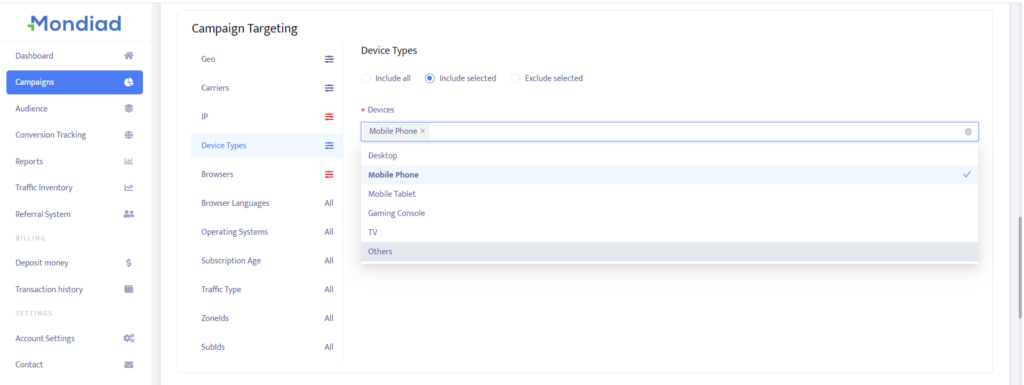
Target the right audience:
Make sure you are targeting the right audience for your product or service. In Mondiad, you can target users according to country, carrier, device type, browser, browser language, operating system, subscription age, traffic type, zoneids, subids.
Do A/B testing:
Test different variations of your ads to see what works better. Use A/B testing to compare creatives, GEOs, display settings, day parting, etc. From here compare results and optimize accordingly.
Use compelling visuals in your creatives:
Use these ad creative design recommendations we already crafted when it comes to creatives.
Use the right tokens:
You can use the [country], [region], [city], [platform], [os], [browser] Mondiad tokens in the title and description of your ad creatives and targeted each user will see their own values when viewing your ads.
In-Page Push Advertising FAQ
1. What is in-page push advertising?
In-page push is a display ad format that looks like a browser push notification but is embedded directly in the web page. Unlike classic push, these ads go to every visitor on the page with no opt-in needed.
They typically appear in the corner of the screen as a small notification-style widget, which makes them stand out from standard banners without being disruptive.
2. How is in-page push different from classic push ads?
The main difference is how and to whom the ads are delivered. Classic push ads are sent via the browser’s notification system and require the user to have previously subscribed. In-page push ads are served directly on the page and shown to every visitor, no subscription needed.
In-page push gives you a much larger potential audience, especially since it works on iOS and macOS, where classic push support is restricted.
Classic push reaches opted-in users with higher intent, which suits more targeted brand messaging.
3. Do in-page push ads work on iPhones and Apple devices?
Yes, this is one of the key advantages of the in-page push format. Since these ads live in the web page rather than going through the browser notification system, they are fully compatible with Safari and all browsers on iOS and macOS.
Classic push has always had limited support on Apple devices, making in-page push the better option for campaigns targeting Apple mobile users.
4. Are in-page push ads considered intrusive?
No, in-page push ads are specifically designed to be non-intrusive. They appear in a corner of the screen after the page has loaded, without blocking content, auto-playing video, or triggering full-screen overlays.
They look like the system notifications people already see every day, so they feel normal rather than intrusive. Since they do not interrupt browsing, users tend to respond better to them than to formats like interstitials or pop-unders.
5. Which verticals perform best with in-page push?
In-page push works across many verticals. Strong performers include e-commerce (especially during sales), finance offers like loans and credit cards, health and nutra products, dating apps, media subscriptions, and travel deals.
The format works well for offers that drive impulse action. Anything with a clear, time-sensitive benefit tends to convert well when presented in a notification-style ad.
Need a Push? Advertise With Mondiad!
Now you know the differences between classic push vs. in-page push ads, and you are one step closer to choosing the right format for your ad campaigns!
If you’re testing push for the first time, start small, validate fast, and scale what works.
- Access global push inventory;
- Test both classic and in-page push ads;
- Launch push ad campaigns in minutes.
Run push campaigns with ad network Mondiad with just $50 and less than 10 minutes!
