


Conversion tracking is crucial for affiliate marketing or other types of online advertising campaigns, as it allows advertisers to measure the effectiveness of their campaigns and optimize them for better results. By tracking more (granular), advertisers and particularly affiliates can access detailed reports and make further informed decisions.
Understanding Postback URL Tracking
Postback URL tracking is an essential component of modern digital advertising, offering accurate, real-time insights into campaign performance, (reporting conversions or specific actions taken by users after they interact with an advertisement) by allowing seamless communication between an ad network(us) and an ad tracker of choice.
This method is more secure and reliable than others as it is not susceptible to forms of tracking prevention like ad blockers.
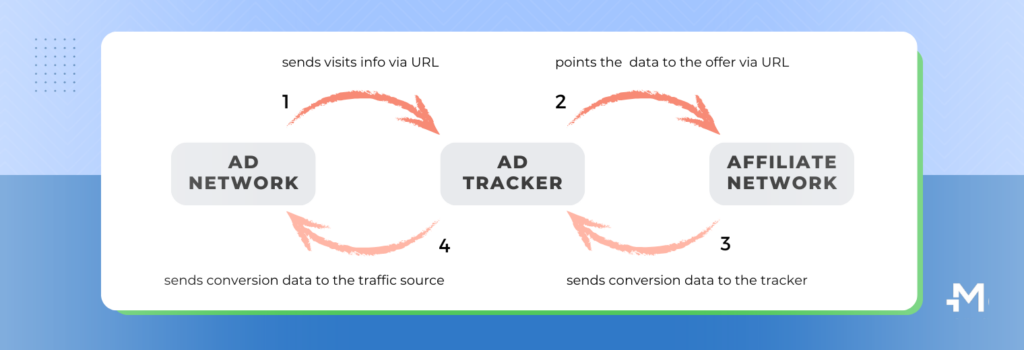
1. The user clicks the ad. -> When a user clicks on an ad, they are redirected through a tracking URL that often contains a unique identifier for the click.
2. The user performs an action. -> After clicking the ad, the user performs an action on the advertiser’s website or app, such as making a purchase.
3. Data is synced and ready for analysis. -> Once the user action is completed, this information is transmitted back to the ad network and tracker, which updates its records accordingly.
💡 A postback URL contains tracking parameters such as clickID, campaignID, adformat, etc. This information is used to attribute the conversion to the correct user and to track the performance of different campaigns and traffic sources.
Setting up a Postback URL
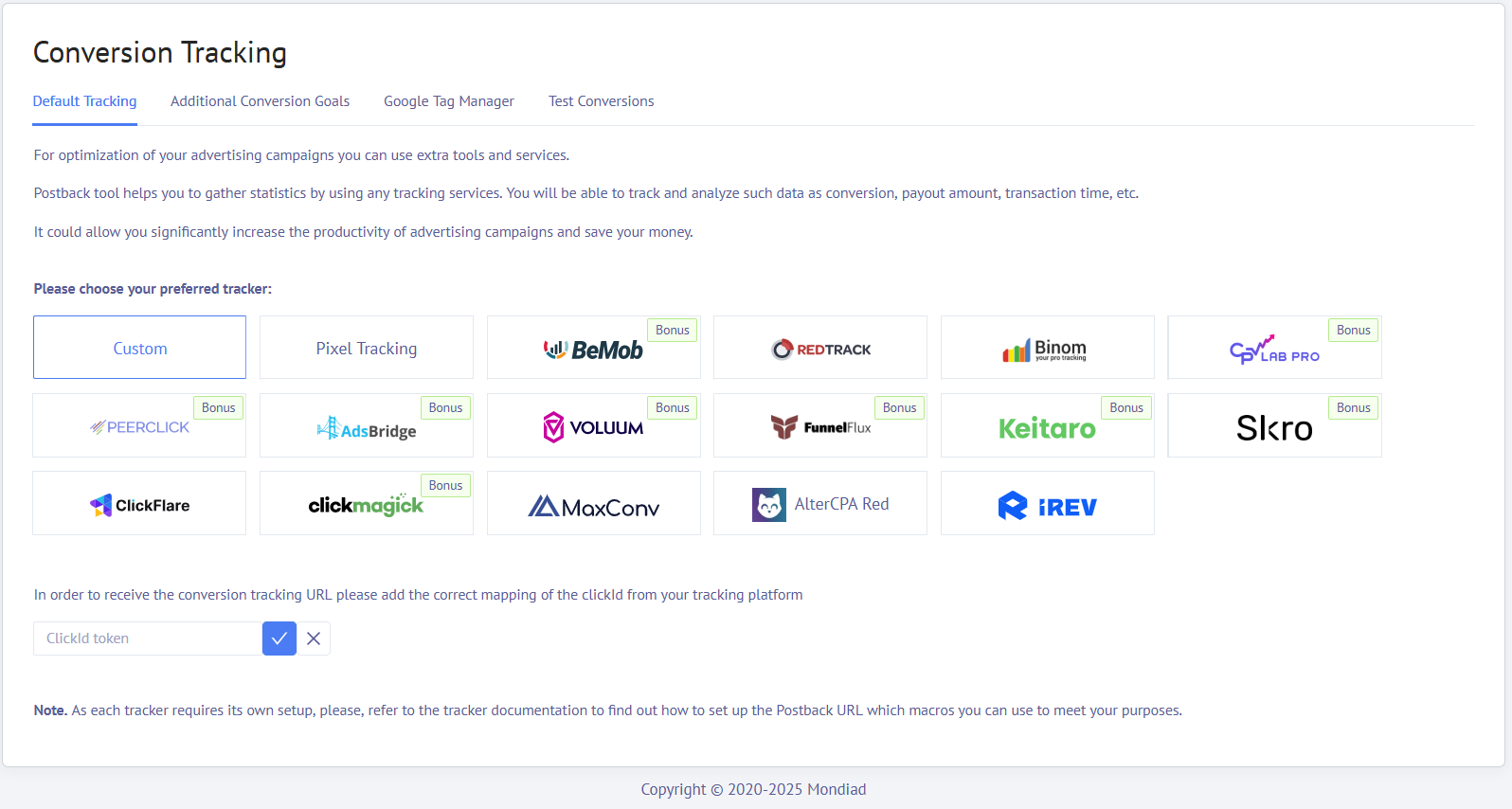
- Pixel Tracking
- Custom integration
- 3rd party ad tracker integrations
Pixel tracking
Custom integration
In order to receive the conversion tracking URL please add the correct mapping of the clickID from your tracking platform.
💡 A Click ID is a unique string of characters or numbers generated when a user clicks on an ad.
⚠️ As each ad tracker has its own requirements, please ensure you check their latest official documentation regarding clickID options.
Connected integrations
We also provide direct integrations to facilitate ad tracking and reporting, allowing advertisers to focus on strategy and performance rather than data management. Here are our current partners:
- BeMob
- Voluum
- AdsBridge
- RedTrack
- Binom
- MaxConv
- Keitaro
- PeerClick
- ClickMagick
- FunnelFlux
- CPV Lab PRO
- ClickFlare
- Skro
- IREV
- AlterCPA Red
⚠️ As each ad tracker requires its own custom setup, make sure to check out the integration guides below to correctly set up the Postback URL and macros you can use to meet your purposes.
Testing Your Conversion Setup
As the name implies, this feature allows you to check if you’ve correctly configured your conversion tracker.
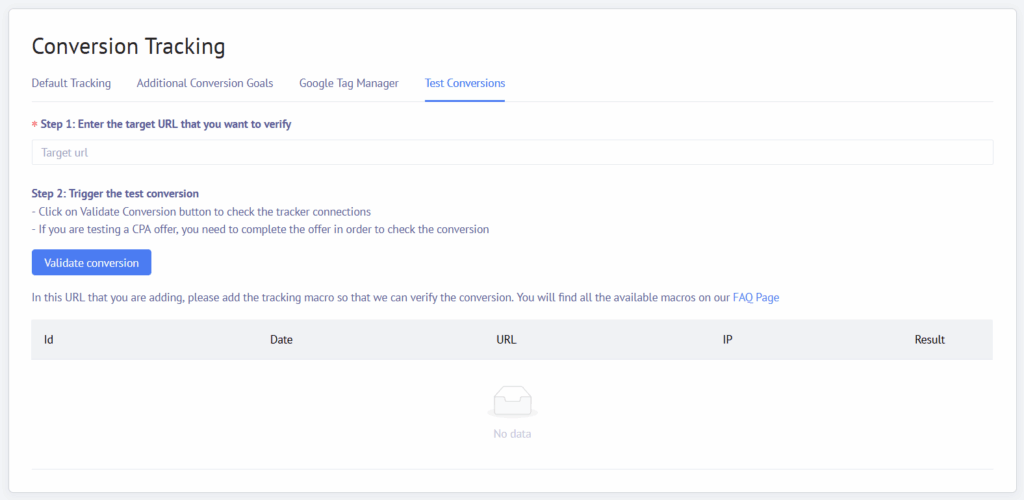
Step 2: Trigger the test conversion.
- – Click on Validate Conversion button to check the tracker connections
- – If you are testing a CPA offer, you need to complete the offer in order to check the conversion
The Conversion Log
Naturally, just select your desired ad campaign from the drop down list, adjust the time frame, and enjoy your data.
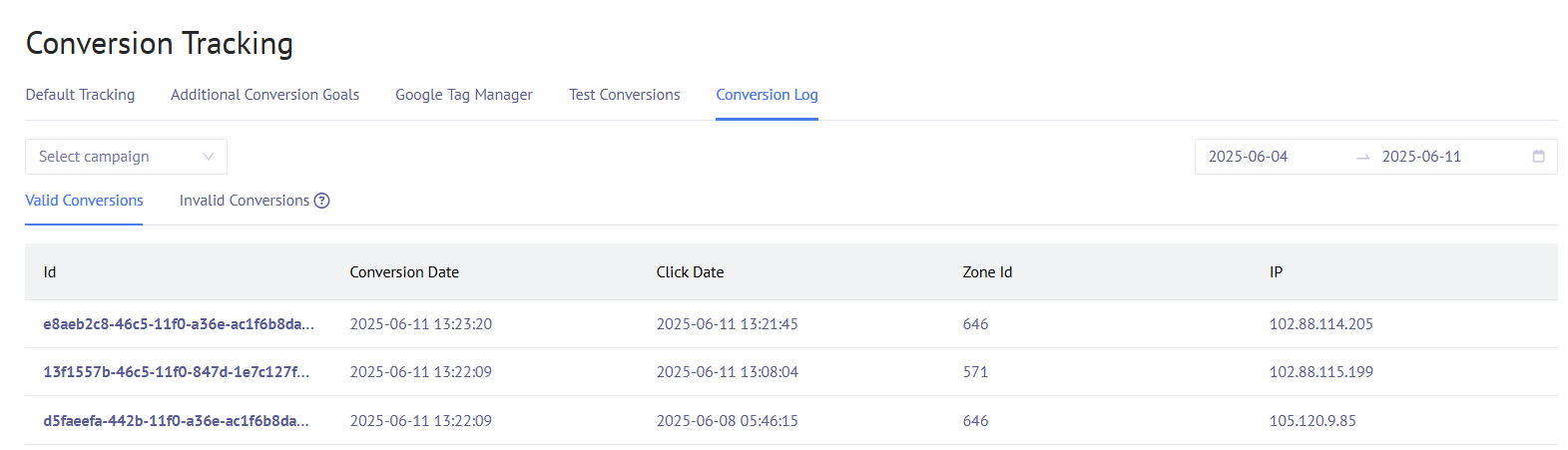
- Valid conversions
- Invalid conversions (across all ad campaigns)
