Close Menu
  • Publishers
  • Advertisers
  • Help Center
  • Let’s meet!
  • Contact
  • English
    • English
    • Русский

Subscribe to Updates

Get the latest news from Mondiad.

What's Hot

What Breaks in an Affiliate Team When Growth Outpaces Processes

06.05.2026

Traffic Arbitrage: How to Set Up Mondiad Tracking with PeerClick

06.05.2026

Mondiad Case Study: How We Reduced Cost Per Lead by 50%!

05.05.2026
Facebook X (Twitter) Instagram YouTube Telegram
Mondiad BlogMondiad Blog
  • Publishers
  • Advertisers
  • Help Center
  • Let’s meet!
  • Contact
  • English
    • English
    • Русский
Sign Up
Mondiad BlogMondiad Blog
Home»PRODUCT UPDATES»PARTNERSHIPS»Track your Mondiad Ad Campaigns with Voluum!
PARTNERSHIPS

Track your Mondiad Ad Campaigns with Voluum!

By Oana Vasarhelyi25.10.20224 Mins Read
Share Facebook Twitter LinkedIn Telegram Email

Here at Mondiad, we’re proud to announce our latest, hottest partner to join is Voluum, the industry’s leading tracker! Tracking, optimising, and automating your advertising campaigns will never be more precise & effective than with them. 🎉

voluum dashboard

Voluum offers solutions for individual & business customers, tailoring the level of platform advancements and support to your needs! Why is this the right tracker for you? 

  • Track 30+ data points in real-time to know exactly what works and what doesn’t.
  • Easily connect your traffic sources via API to manage all your advertising comfortably from Voluum.
  • Detect every suspicious visit and unrealistic conversion to keep your budget protected with the Anti-Fraud Kit.
  • Assign users to separate workspaces, customize access, & share reports with external parties with Collaboration Tools. 
  • Set up custom rules to regulate your campaigns while you’re away
  • Use AI-powered tools to automatically redirect your traffic to the best-performing offers and landing pages.     
  • Receive custom alerts on mobile and desktop when your ad performance changes. 

👉Sign up today & you’ll get a major discount – up to 30% off! 🤑🤑


Mondiad x Voluum integration guide

Step 1. Choose Mondiad as your Traffic Source in Voluum

Log in to your Voluum account, then go to TRACKER -> Traffic Sources -> Create -> Traffic Source. Here, search for “Mondiad” then hit the Next button to reach the next step of the configuration.

Mondiad x Voluum integration

The template automatically loads the parameters Mondiad offers and in this box you`ll be able to finish configuring the tokens, and the tracking options, leave notes and get your Postback URL.

Mondiad x Voluum integration

Step 2. Create a Campaign in Voluum

Now that you`ve set up Mondiad as your traffic source, it`s time to start your campaign. Go to Campaigns -> Create, and start the configuration by selecting Mondiad as your traffic source.

Mondiad x Voluum integration

In the next pop-up, fill in your campaign details: name, cost model, path destination, landers, etc. For further help with Voluum configurations, please refer to their official documentation.

Step 3. Starting a Campaign in Mondiad

Mondiad x Voluum integration

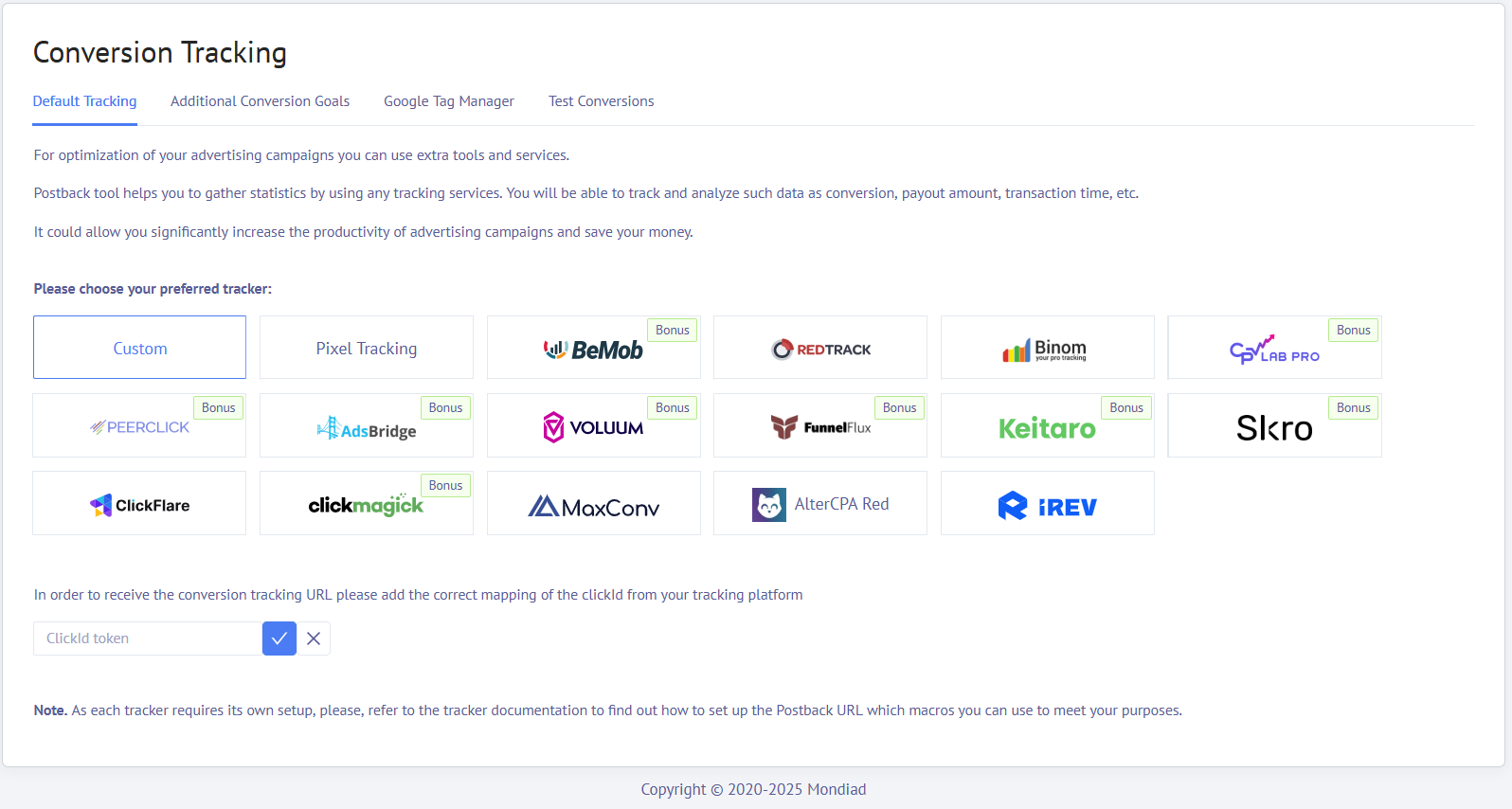
Log in to your Mondiad advertiser account and go to the Campaign Tracking tab. 

Next, follow this step-by-step guide that will show you how to configure and optimise your Mondiad ad campaign.


Mondiad x Voluum API integration:

1. Generate your Mondiad ClientID & ClientSecret:

To generate a Mondiad API key, log in to your Mondiad advertiser account and head over to the Account settings section in the left menu -> go to API integrations.

Mondiad x Voluum integration
Mondiad API setup

Here,  click on Add API key button -> enter a name and a description(optional) for your API key -> when ready, click the Submit button.

Mondiad x Voluum integration
Mondiad API setup

Now, your API key is created and you can get your ClientID and ClientSecret values to use with your integration of choice.

Mondiad x Voluum integration
Mondiad API setup

 2. Insert the Mondiad ClientID & ClientSecret to your Voluum API token:

Log in to your Voluum account and head over to the AUTOMIZER section -> Traffic sources -> then click on the Add traffic source button.

Mondiad x Voluum integration
Mondiad x Voluum API integration

Now look for the Mondiad template and select it by clicking on Add Integration button.

Mondiad x Voluum integration
Mondiad x Voluum API integration

In the pop-up window, you will need to insert an API token. This token is made of your Mondiad API key values you already gendered into the Mondiad platform.

The API token you need to insert here should look like this: ClientID@ClientSecret

Mondiad x Voluum integration

When ready, hit the Submit button and you are all done.

Mondiad x Voluum integration

There you go!

Don’t forget also to check out Voluum’s official documentation regarding Mondiad, if needed.

advertiser campaign optimization partnership tracking
Previous ArticleTrack your Mondiad Ad Campaigns with Keitaro!
Next Article Make Them Click: Your Ad Creative Blueprint!
Oana Vasarhelyi
  • LinkedIn

Oana Vasarhelyi is a performance marketing specialist at Mondiad, the global advertising network, where she has analyzed affiliate campaigns and authored advertiser-facing content since 2022.Her work draws on Mondiad's cross-vertical network data, such as spanning sweepstakes, dating, finance, iGaming, nutra, and app install offers across Tier 1–3 GEOs, to turn campaign-level performance patterns into practical guidance for affiliate marketers.A linguist by training turned ad-tech practitioner, she brings a translator's discipline to an industry that often buries fundamentals under jargon. Off the clock, she's a reader, gamer, and sketcher.

Related Posts

AFFILIATE EVENTS

What Breaks in an Affiliate Team When Growth Outpaces Processes

06.05.2026
PARTNERSHIPS

Traffic Arbitrage: How to Set Up Mondiad Tracking with PeerClick

06.05.2026
SUCCESS STORIES

Mondiad Case Study: How We Reduced Cost Per Lead by 50%!

05.05.2026
Contents hide
1 Mondiad x Voluum integration guide
1.1 Step 1. Choose Mondiad as your Traffic Source in Voluum
1.2 Step 2. Create a Campaign in Voluum
1.3 Step 3. Starting a Campaign in Mondiad
2 Mondiad x Voluum API integration:
2.1 1. Generate your Mondiad ClientID & ClientSecret:
2.2 2. Insert the Mondiad ClientID & ClientSecret to your Voluum API token:

Get 15% deposit bonus

Register now and you will get a 15% deposit bonus available for new users.

Register
Categories
  • AFFILIATE EVENTS
  • COMPANY NEWS
  • EXPERT KNOWLEDGE
  • INDUSTRY INSIGHTS
    • AFFILIATE MARKETING
    • CAMPAIGN OPTIMIZATION
    • MONETIZATION TIPS
  • PRODUCT UPDATES
    • PARTNERSHIPS
  • SUCCESS STORIES
PopCash.net
Facebook X (Twitter) Instagram YouTube LinkedIn
  • Home
  • About Us
  • Contact
© 2020-2026 Mondiad. All rights reserved.

Type above and press Enter to search. Press Esc to cancel.