


In performance marketing, data isn’t optional; it’s everything. Every click, conversion, and event matters when you’re optimising campaigns and scaling profitably.
For years, advertisers have relied on third-party trackers to monitor performance, attribute conversions, and fine-tune their traffic. While powerful, those tools often come with added costs, complex setups, and integration hurdles.
What if you could get the tracking precision you need, without the extra expense or technical overhead?
Mondiad Pixel Tracker
We’re excited to introduce our free Mondiad Pixel Tracker, a built-in solution designed specifically for advertisers running campaigns on our ad network. It gives you accurate conversion tracking, seamless integration, and real-time performance insights, all in one place.
No additional subscriptions. No complicated setups. Just smarter tracking, fully aligned with your campaigns.
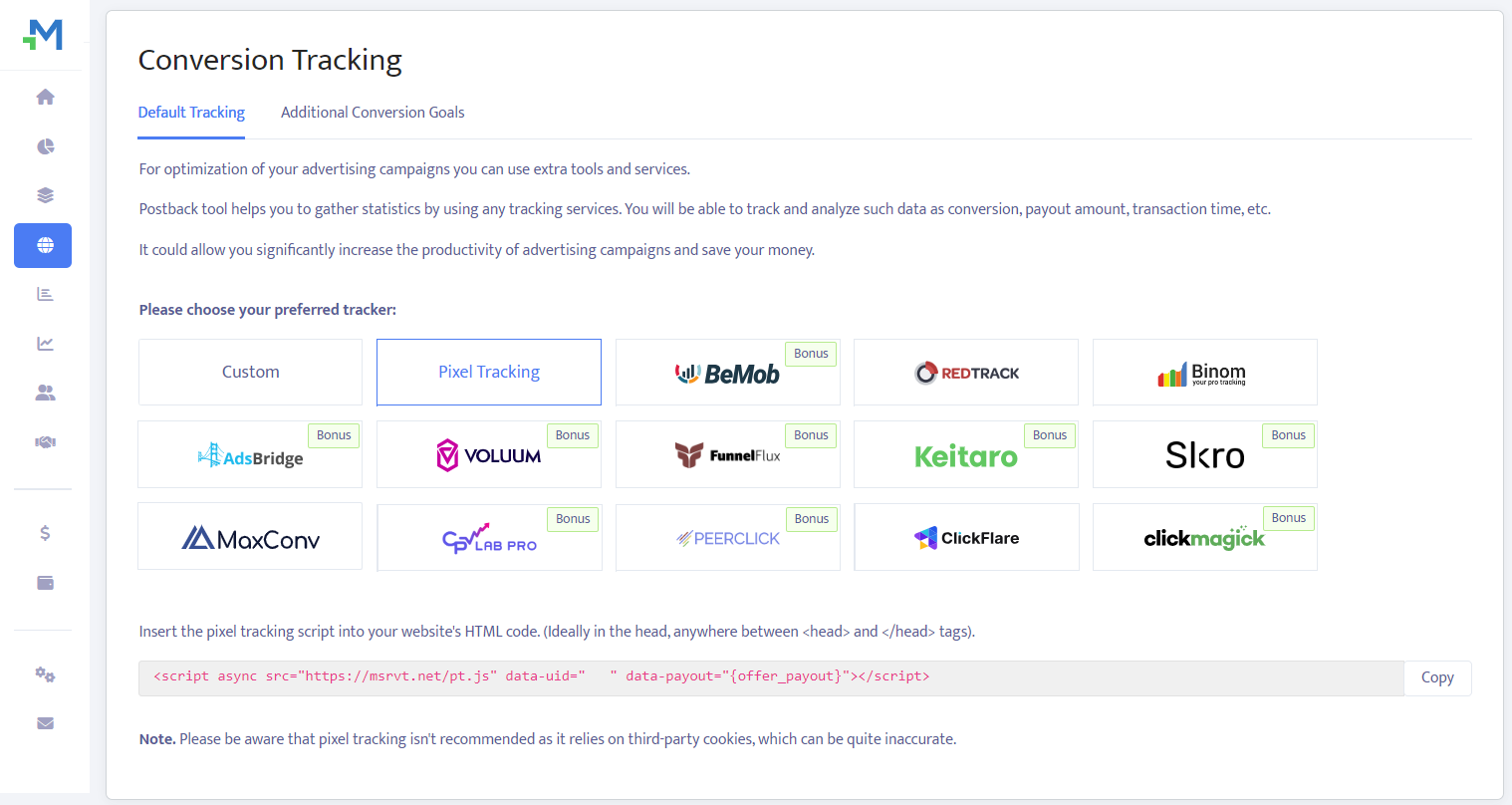
Also known as client-side, cookie-based, in-browser tracking, this method relies on the user’s browser to track conversions by placing a cookie on the click action.
⚠️ Note: We recommend using pixel tracking as little as possible, as pixel tracking only works for non-mobile web traffic where cookies can be stored. Additionally, major browsers like Safari, Chrome, and Firefox are moving away from allowing tracking-related cookies.
Pixel Tracking Setup:
Pixel conversion tracking is very simple and only involves placing the HTML offer pixel on the conversion page.
Navigate to the Conversion Tracking section and click on the Pixel Tracking option to see your script, which you will copy and paste into the <HEAD>… </HEAD> of your HTML page, where you want to track conversions.
⚠️ Note: If you add the script to the main page but you want to track conversions on a different page, for example, the Contact page, you need to add the script on that page as well.
Pixel Tracking Explained
EXAMPLE: <script async src="https://msrvt.net/pt.js" data-uid="31" data-payout="$1"></script>
data-uid="31"shows this script is linked to your Mondiad userid (here, 31), which is a unique numerical value.data-payout="$1"represents the payout of the conversion, which is optional but recommended for possible next optimisations. Setting a value(here, 1) allows our system to understand your data, and show them in reports.
Mondiad Pixel Tracker + Mondiad Conversion Goals
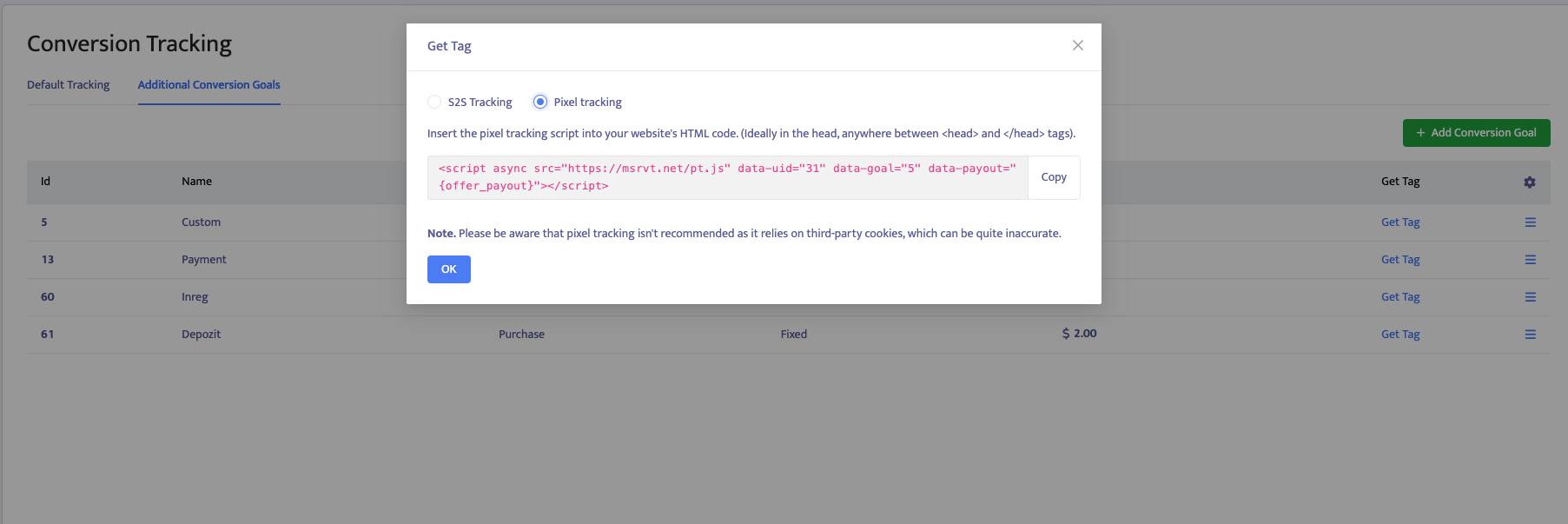
If you want to track 2 conversions ( ex. SignUp + Deposit ), you need to create 2 additional Conversion Goals and place the script on the right pages.
EXAMPLE: <script async src="https://msrvt.net/pt.js" data-uid="31" data-goal="5" data-payout="{offer_payout}"></script>
data-goal="5" To track the SignUp action, create an additional conversion goal. You will receive a code with a parameter that identifies which goal was reached (SignUp or Deposit ).
The same process applies to the next goal, but you will receive a different script.